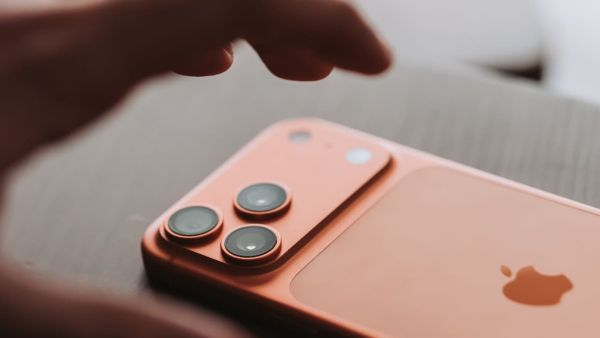
Beyond its appearance, the iPhone offers robust security. This article details five key features—Face ID, Stolen Device Protection, Find My, App Privacy Control, and Emergency SOS—that make iPhones difficult to hack and effective at preserving user privacy, a crucial factor for modern smartphone users.
Are you considering purchasing an iPhone due to its high-end appearance? The purpose of this post is to provide you with further information. Let us inform you about security, which often receives less attention. The camera, battery, speed, and duration of updates are the main concerns of most consumers. That stuff is important, of course, but Apple has worked very hard to make iPhones difficult to hack and effective at preserving your privacy.
These days, everything is on your phone: business emails, personal images, banking applications, passwords, and more. It makes sense to consider security when choosing your next phone because cyberattacks and data breaches are commonplace. Check out these 5 security aspects that stand out if you are considering switching to an iPhone or simply want to know what makes Apple's approach unique, particularly for people in India:
Face ID
Face ID is far more sophisticated than the majority of face unlock methods available, making it more than simply a fancy way to unlock your phone. Instead of merely taking a picture, Apple's TrueDepth camera creates a 3D representation of your face, making it far more difficult to fool.
However, unlocking isn't the only thing. Face ID eliminates the need to memorise or input PINs when you use it to auto-fill passwords, purchase items from the App Store, or connect into financial apps. Additionally, Face ID adjusts to changes in your face, such as the addition of spectacles or the growth of a beard. This implies that you have hassle-free security.
Stolen Device Protection
Phone theft is a major annoyance and occurs everywhere. To make it more difficult for someone to steal your phone, Apple introduced Stolen Device Protection. If someone were to steal your unlocked iPhone, they would be unable to make significant changes using your passcode-sensitive information, such as altering your Apple ID or disabling Find My, which requires your fingerprint or face.
Apple occasionally adds a built-in delay before these settings may be altered. That gives you time to lock things down or locate your phone.
Find My Feature
Finding your phone is much less stressful thanks to the Find My function, but losing your phone is the worst. You can lock your phone, view its position on a map, have it ring if it's close by, or erase all of your personal data if necessary.
Better still, Apple's encrypted Find My network allows newer iPhones to sometimes broadcast their position, even when they are offline or turned off. This greatly increases your chances of locating it.
App Privacy Control
Apple gives privacy measures a lot of attention. iOS asks you if you are alright with an app using your camera, microphone, contacts, images, or location. It is up to you whether or not it enters and for how long.
Additionally, you can see what apps are doing with your data and prevent them from monitoring you across other applications with the help of straightforward tools like App Privacy Reports, Mail Privacy Protection, and monitoring Transparency. These privacy settings are particularly useful if you enjoy experimenting with different apps.
Emergency SOS
One of those items you hope you'll never need is an emergency SOS, but when you do, it can save your life. All you have to do is hit a set of buttons, and your iPhone will message your selected contacts with your current position and call emergency services.
With features like Crash Detection and, in some areas, Emergency SOS via satellite, more recent iPhones go above and beyond. You can therefore still receive assistance even if you're distant from mobile service. Although the satellite capability isn't currently available in India, it demonstrates Apple's direction for safety.
These days, phones are used for more than just making calls or using WhatsApp. In India, cellphones are used for nearly every aspect of daily life, including banking, payments, and ID checks. Therefore, security is essential rather than merely desirable. There are tools that can help you safeguard your personal information in the event that you misplace your phone or it is stolen, which might have a significant impact. Therefore, if you are considering switching or purchasing your first iPhone, think about security as a major factor in improving the iPhone experience rather than only focusing on the camera and CPU.
-
NEET UG Counselling: Failure to do this after registration could lead to problems; make sure to download these three documents..

-
AMC: Apply for the Atul Maheshwari Scholarship by August 20; exam to be held in 95 cities..

-
Spot Counterfeit Products in a Snap: This Technology Will Help
-
HPBOSE SOS Result 2026: HP Open School Class 10 and 12 revaluation and re-checking results released; here’s how to download..
-
CLAT Registration 2027: Avoid these mistakes while filling out the form; they could cause difficulties during counseling—find out how..