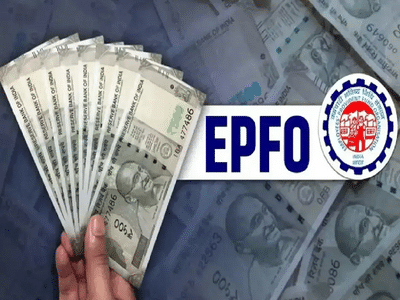
If you're a member of the Employees' Provident Fund Organization (EPFO), this information is important for you. To make future PF withdrawals, e-nominations, or other online services easier, the EPFO advises members to keep their profile photos updated. Without a profile photo, you may face difficulties completing some online processes.
According to the EPFO, a profile photo is an essential part of an employee's digital identity. Therefore, uploading a photo is required for services like e-nomination. If the photo isn't updated, you may face difficulties and delays in processing your PF claim.
Not only your photo, but also your Aadhaar card, PAN card, bank account details, mobile number, and email ID should be updated. This will allow you to seamlessly access PF transfers, withdrawals, pensions, and other online services.
How to update profile photo on EPFO portal?
1. Visit the official portal of EPFO and login using your 12 digit UAN and password.
2. Next, click on the View option on the homepage and select the Profile option.
3. Click on the Change Photo option on the left side of the profile page.
4. Select passport size digital photo from your mobile or computer.
5. Now after checking the preview of the photo, click on Upload Photograph and complete the entire process by clicking on OK.
-
Top 10 | ABP LIVE Morning Bulletin: Top News Headlines from 22 July 2026 to Start Your Day - Morning

-
Saudi giants Al-Hilal seal €80m deal for West Ham’s Crysencio Summerville as Premier League clubs lose out on Dutch winger

-
Victor Osimhen ranked among world’s top five strikers as Nigerian star joins elite company with Harry Kane and Erling Haaland

-
Cristiano Ronaldo’s account reportedly likes post claiming ‘FIFA wanted to hand World Cup to Messi’ amid corruption allegations before Argentina’s defeat to Spain

-
Fernando Santos: Bernardo Silva Reminds Me of Modric and Will Shine with Mbappé and Vinícius at Real Madrid