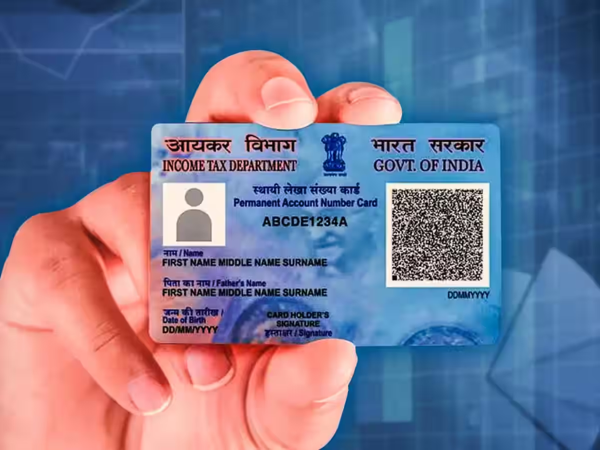
How to change the mobile number on your PAN card online: Like the Aadhaar card, the PAN card has become an essential part of our identity. It is no longer just for filing taxes; it is considered a crucial document for banking, investments, and various government services. Therefore, it is vital that details such as the mobile number, address, name, or date of birth recorded on it are accurate and up-to-date. If you have recently changed your mobile number or need to update other information on your PAN card, this can now be done easily via both online and offline methods. Let’s look at the complete process.
Why it is important to keep PAN details updated
Your PAN card contains personal information such as your name, date of birth, address, and—most importantly—your registered mobile number. Nowadays, most financial and tax-related services rely on OTP-based verification.
Consequently, if your mobile number is outdated or inactive, you may face difficulties accessing various PAN-related services. Therefore, keeping your information updated periodically is essential.
If your mobile number has changed, you can easily update it—either online or offline—through the country's two major official portals: Protean (NSDL) and UTIITSL. Let’s understand both processes step-by-step.
How to change your mobile number via the Protean portal
Protean was formerly known as NSDL e-Governance Infrastructure Limited (NSDL e-Gov). If you wish to use this portal, follow the simple steps outlined below:
First, visit the official Protean PAN (NSDL) website at https://tinpan.proteantech.in.
Scroll down the home page and click on the 'Apply Now' option; this will take you directly to the new online PAN application page.
On the form, look for the 'Application Type' section and select 'Changes or Correction in existing PAN Data/Reprint of PAN Card'.
Then, select 'Individual' (or the applicable category) under the 'Category' section. Next, enter your name, date of birth, email ID, new mobile number, and existing PAN number.
Then, enter the CAPTCHA code displayed on the screen and submit it.
Upon submission, a token number will be sent to your email ID; note it down safely so you can reopen the form from this stage if needed later.
After this, click on "Continue with PAN Application Form."
For a fully online process, select the paperless option: "Submit digitally through e-KYC and e-Sign (Paperless)."
If you want a physical plastic PAN card delivered to your home, tick "Yes" (a prescribed fee will apply). Then, enter the last 4 digits of your Aadhaar card.
Now, tick the box corresponding to the information you wish to change (e.g., mobile number). Enter your new mobile number or email and click "Next."
Upload the required documents (such as your Aadhaar card), your photograph, and your digital signature, ensuring they meet the size and format specifications mentioned on the website.
In the declaration section, enter your name and location, select "Himself" or "Herself," and submit the form. Next, proceed to the online payment page to pay the fee using a credit/debit card or net banking, and download the receipt.
Then, click "Continue" and authenticate the process by entering the OTP sent to the mobile number linked to your Aadhaar.
Finally, enter the OTP for e-Sign. Once the process is complete, your Acknowledgment Form will be available for download; the password for the file will be your date of birth.
You can also update details via the UTIITSL portal.
If you prefer to update your details through the UTIITSL portal, the process is simple. Follow these steps:
Visit the UTIITSL website.
Select the option for "Change or Correction in PAN Card."
Fill out the application form.
Note down the reference number.
Select the information you wish to update.
Enter the new mobile number or other details.
Upload the required documents.
Submit the application and pay the fee. If you have opted for the physical mode, send the printout, photograph, and documents to the concerned office.
Disclaimer: This content has been sourced and edited from Amar Ujala. While we have made modifications for clarity and presentation, the original content belongs to its respective authors and website. We do not claim ownership of the content.
-
13 June Rashifal: Who should not use others’ car, who will get surprise, this zodiac sign will get relief in legal matters

-
Achari Paratha Recipe: Make delicious Achari Paratha with pickle spices, learn the easy recipe and how to make it

-
“Next-Level Pahadon Wali Maggi”: Internet Reacts To First-Ever Floating Maggi Point On Kashmir’s Dal Lake

-
Kangana Ranaut’s Patan Patola saree: Price, history and specialty of royal Gujarati handloom

-
Silent Call Scam: Phone gets disconnected as soon as you say ‘Hello’? Attention Your number may be included in the list of scammers