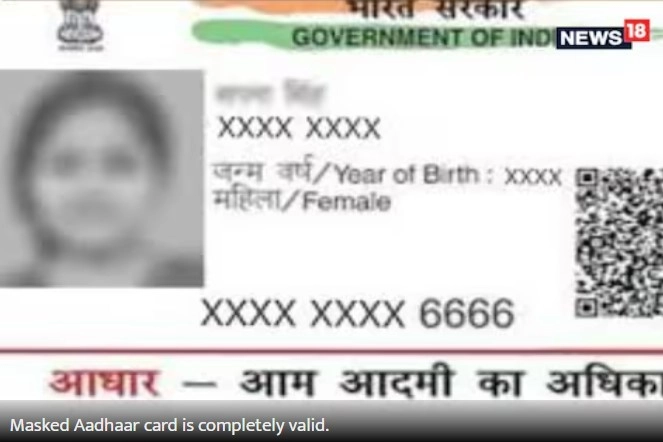
Aadhaar card: Masked Aadhaar card is completely valid. It is issued by UIDAI only. Masked Aadhaar card ... Read more
New Delhi. Aadhar card has become a very necessary and important document today. Whether it is opening a bank account or checking in at a hotel, Aadhar is used as an ID proof everywhere. Now many works cannot be done without Aadhar. Due to Aadhar being so important, it is now being misused a lot. The Unique Identification Authority of India (UIDAI) keeps advising people from time to time to avoid fraud related to Aadhar. Not only this, UIDAI has also started the facility of masked Aadhar to make Aadhar secure.
The masked Aadhaar card is also issued by the Unique Identification Authority of India (UIDAI). It is slightly different from the normal Aadhaar card. It is also more secure than that. The normal Aadhaar card has 12 digits of Aadhaar number printed on it, whereas only the last 4 digits are printed on this card. The first 8 Aadhaar numbers of the Aadhaar card are written as 'XXXX-XXXX' in the masked Aadhaar card ID. In this way, the Aadhaar card number of the Aadhaar card holder becomes invisible to strangers.
Where can it be used?
Masked Aadhaar card is completely valid. It is issued by UIDAI only. Masked Aadhaar card can be used at every place where normal Aadhaar card is used. UIDAI has also appealed to people several times to give masked Aadhaar card instead of giving photocopy of normal Aadhaar card so that Aadhaar is not misused.
Download like this
- Go to myaadhaar.uidai.gov.in and select the Login option.
- After entering Aadhaar number and captcha code, click on Send OTP.
- An OTP will be sent to the number linked to your Aadhaar, enter it and click on Login.
- Select Download Aadhaar from the Services section.
- In the Review your demographic data section, select the option Do you want a masked Aadhaar.
- After this click on Download.
- Masked Aadhaar will be downloaded in PDF format.
To open this Aadhaar card, you will need a password. The password is the first four letters of your name (in Aadhaar) in capital letters and your year of birth. For example, if your name is Dipanshu and your year of birth is 1990, then your password will be DIPA1990.
-
"It was the right decision!" - Carlo Ancelotti backs Neymar's World Cup selection as Brazil great officially retires from international football

-
Chelsea keeping tabs on ‘dream target’ Lewis Hall as Manchester United move stalls

-
Between discipline and absence: why did Messi return to Inter Miami while Ronaldo is still missing from Al-Nassr?

-
Lovepreet Singh Secures Silver in Men's Heavyweight Weightlifting at Commonwealth Games 2026

-
Celebrating the Future: Amdavad Prepares for the 2030 Commonwealth Games