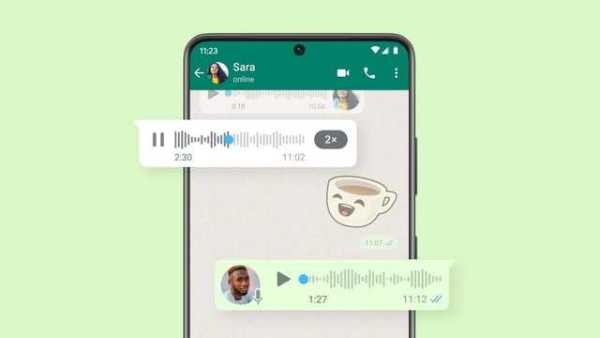
How to preview voice notes on WhatsApp before sending them
07 Dec 2024
WhatsApp allows users to preview voice notes before sending them, offering a convenient way to ensure your message is clear and accurate.
By listening to your voice note, you can ensure your tone, content, and delivery are just right.
It's a simple but effective way to communicate more confidently and avoid misunderstandings in important conversations.
Follow these steps
User guide
To use this feature, you first have to open an individual or group chat.
After pressing and holding the microphone icon, slide up to activate hands-free recording.
Once the message is recorded, tap the pause button, followed by the play button to preview the recording.
For precise playback, you can tap and drag any part of the recording to play it from a specific timestamp.
Additional options for voice note management
Flexibility
In addition to previewing their voice notes, users also have the option to delete the recording or continue recording if they wish.
Once satisfied with their message, they can send it by tapping the send button.
This feature provides flexibility and control over voice messages before they are shared with others on WhatsApp.
-
Does the question arise about the safety of a foreign woman in an Indian train? Ines Faria’s story

-
Jabalpur: Unique honor to the officer before retirement, students gave ‘Besharam’ flowers, prayed to God that “such an officer should not come in future”, know the matter.

-
Inside story of Pakistani Foreign Minister Ishaq Dar suddenly arriving in Washington amid Iran-US conflict, secret meeting with Marco Rubio

-
Taiwanese singer Landy Wen out of danger after septic shock

-
Arslan Khan opens up about the reality of marriage