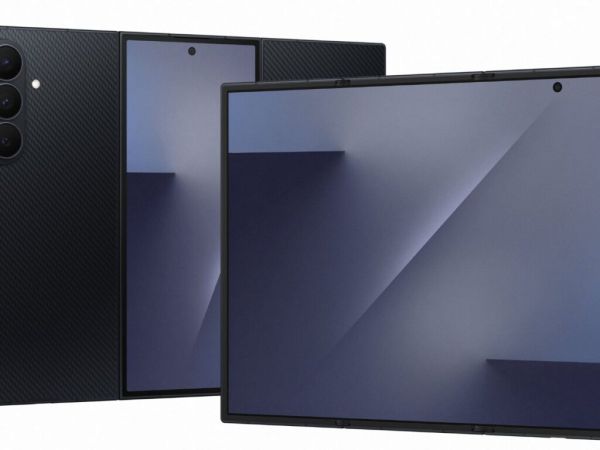
For many Samsung Galaxy tablet users, the device becomes an important part of everyday life. It is used for video calls, watching movies, browsing the internet, studying, and completing work. However, nothing is more frustrating than having the tablet suddenly stop working in the middle of an important activity. Sometimes, the tablet may freeze during a video call or while playing a movie. In other cases, it may become unusually slow even when plenty of storage space is available. There are also situations where the tablet does not turn on, leaving the user confused about what went wrong.
Battery and Performance Problems
Battery problems are another common concern. A tablet that once lasted for hours may begin draining quickly, requiring frequent charging. After several years of use, battery performance can naturally decline, although the exact lifespan depends on usage and battery condition. A slow device can also be caused by background apps, temporary system errors, or outdated software. Samsung recommends closing unnecessary background apps, using Device Care, restarting the device, and installing available software updates.
Wi-Fi, Touchscreen and Camera Issues
Some users may experience Wi-Fi connection problems, a frozen touchscreen, or occasional camera failures. For Wi-Fi problems, restarting the tablet and router, forgetting the saved Wi-Fi network, and reconnecting can help. If necessary, network settings can also be reset. When the touchscreen becomes unresponsive, a forced restart can often help. Samsung recommends holding the Power/Side and Volume Down buttons for more than seven seconds.
Simple Fixes Can Make a Difference
Before considering repair or replacement, users can clear the cache of problematic apps, restart the tablet, remove unnecessary apps, run Device Care, and update the software. Samsung confirms that clearing an app’s cache can remove temporary files that may contribute to app problems. If problems continue after these steps, Samsung Members diagnostics or professional service may be needed.
Shamshad Ali is a New Delhi–based journalist with over six years of experience spanning breaking news writing, on-the-ground reporting, and editing. When he isn’t chasing headlines, Shamshad is usually exploring new destinations, discovering hidden culinary gems, and striking up conversations with strangers. Many of whom turn out to be great sources, and even better friends. He can be reached at shamshadali.dar@gmail.com.
The post What Are The Seven Common Problems You Are Facing In Your Samsung Tablet? appeared first on NewsX.
-
India Post GDS Recruitment 2026: Find out the number of vacancies in each circle and the salary details..

-
ISRO Recruitment 2026: ISRO has announced recruitment for the posts of Engineers and Scientists..

-
Opportunity to get a job at BHEL without an exam; candidates ranging from 10th-pass to graduates can apply..

-
Do you have experience driving a car? A driver recruitment drive has been announced by this High Court; the last date is September 18...

-
What is the salary for an SBI PO job? Find out the answer amidst the Prelims results..