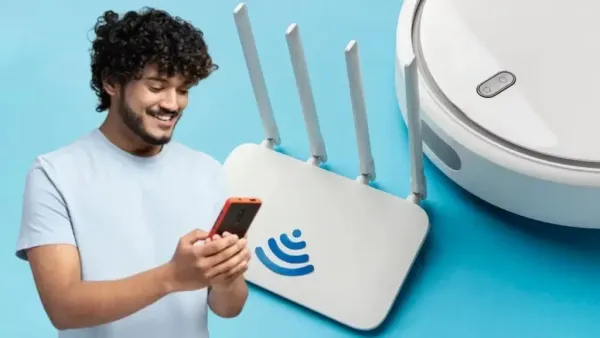
Tezzbuzz Desk-If the speed of WiFi in the house is decreasing again and again, then it is not right to hold the internet plan or service provider responsible every time. Sometimes wrong placement of the router can also become a major reason for weak signal. Know where and how the router should be placed in the house, so that WiFi coverage can be better.
In today's era, many daily tasks have become difficult without internet. People depend heavily on home WiFi for activities like online classes, office work, video streaming, social media, gaming and digital payments. In such a situation, if the internet speed suddenly decreases or the signal starts getting weak in some room, then the problem increases.
Many times people start thinking about buying a new internet plan or expensive router to solve the problem. However, before that you must check the location of your router once. Placing the router in the right place in the house can improve wireless signal coverage and connectivity.
Place the router in the middle of the house
Instead of keeping the router in a corner of the house or near an external wall, if possible, keep the router in the middle of the house. Due to this, wireless signals have to travel a relatively short distance to reach different rooms. If the router is placed near a window or at the very edge of the house, a large part of the signal can go to an area where it is not needed. Placing the router in the middle can provide balanced coverage to more parts of the house.
Don't make the mistake of placing it on the floor
Avoid placing the router directly on the ground. Place it on a table, shelf or other high place. Also try not to keep too much stuff around it. Elevated and open space can help the router's wireless signal reach nearby devices. Therefore, instead of the floor or a closed corner, it is better to choose a place where the router remains relatively open.
Do not keep in cupboard or cabinet
Many people hide the router inside a cupboard, drawer or TV cabinet for home decoration. This method may look good, but it is not considered the correct placement for a wireless signal. Keep the router in an open and ventilated place. Also avoid piling books, boxes or other items around it. The less physical obstruction there is, the better the signal can spread.
Keep distance from microwave and metal objects
The router should not be kept near microwaves, large electronic appliances and objects with heavy metal. Especially the 2.4GHz WiFi signal can be affected by such sources. Therefore, avoid installing the router near the kitchen or microwave. Keeping open space around the router can help in maintaining a better wireless connection.
What to choose between 2.4GHz and 5GHz?
If both 2.4GHz and 5GHz bands are available in your router, then both have their own distinct characteristics. 5GHz can generally provide faster speeds close to the router, but it has less coverage than 2.4GHz and the signal can weaken relatively quickly across walls. Whereas 2.4GHz has more range and can reach beyond walls better. Therefore, 5GHz can be useful for high speed near the router, while 2.4GHz can prove to be a better option in areas with large distances or many walls.
Where to keep the router in a two-storey house?
If the house is two-storey, it is not always possible to get the same signal in every room from just one router. In such a situation, try to keep the router at such a high and open place from where the signal can reach both the floors.
Despite this, if WiFi remains weak in any part then the help of Mesh WiFi System or additional networking devices can be taken. In a larger house, this can be useful in providing better coverage over the entire area.
Therefore, if the speed of WiFi is low, first try changing the location of the router. Placing the router in a high, open area in the middle of the house and away from microwaves or large electronic devices can help improve wireless coverage in many cases.
-
Michael Carrick confirms Manchester United will be without ‘sensational’ Red and summer signing against Ipswich

-
AIMIM expels MLC Mirza Rahmath Baig, directs him to resign

-
Fiorentina turn to Beto as Manchester United delay decision on Joshua Zirkzee deal

-
Bradley Barcola to undergo Liverpool medical after landing in England as €140m PSG transfer edges closer

-
Rice Storage Tips: Does keeping rice in an airtight container get moldy? Find out why 'this'!