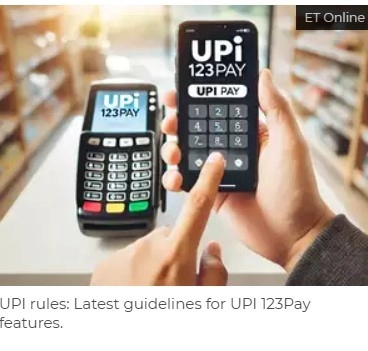
UPI rules: Latest guidelines for UPI 123Pay features
ECONOMIC TIMES | November 8, 2024 3:41 PM CST
Synopsis
UPI guidelines for UPI 123Pay features: UPI 123Pay is a Suite of solutions developed for Non Smart phone, feature phone users to use the UPI without internet connectivity. There are no charges for transactions under UPI 123PAY.
UPI 123Pay is a Suite of solutions developed for Non Smart phone, feature phone users to use the UPI without internet connectivity. There are no charges for transactions under UPI 123PAY.
- Voice payment via IVR number,
- Proximity sound-based payments,
- Missed call-based payment strategy, and
- App-based scan and pay on feature phone.
RBI has suggested to all live 123Pay members to comply before January 1, 2025.
The RBI had decided to raise the single transaction limit for UPI 123Pay from Rs 5,000 to Rs 10,000. This announcement was made in a press release titled "Statement on Development and Regulatory Policies" that was issued on October 9, 2024.
uidelines on UPI features for UPI 123Pay
- Members shall increase the per transaction limit to Rs 10,000 from 5,000 with immediate effect.
- Members shall implement Onboarding with Aadhar OTP in UPI 123Pay
- Members shall collectively identify and tag UPI 123Pay transactions
- Members shall implement UPI Number functionality through integration with UPI numeric ID Mapper.
- New members shall comply to above mentioned guidelines for go live on UPI 123Pay servces.
Using this solution customer can use UPI services by calling to a predefined number. Select the option via keypad and avail the services of UPI.
Payment through Missed Call
Using this solution customer can make transactions by calling on a number displayed on the merchant’s side, post which the customer will receive a call from a specified number to authenticate the transaction by entering UPI PIN. After the UPI PIN is entered correctly the transaction is successful.
Payment through functionality implemented by OEM
Using this solution customer can have a app of UPI on their feature phone. Using that app, the customer can make transactions.
Payment through sound based technologies
Using this solution customer has to call on the IVR number and choose pay to merchant option. They tap their mobile phone on merchant device (POD), and press # once the POD emits the unique tone; then he enters the amount and UPI PIN to make a successful transaction.
Incase of multiple bank accounts
Note that customers cannot multiple bank accounts on UPI 123PAY. If the customer wants to add another account, then they must deregister the current bank account and then add the another bank account.
How to link bank account with UPI 123PAY?
Follow the below steps to link bank account with UPI 123PAY:Step 1. Call on any IVR number
Step 2. Select your language
Step 3. Choose to register your bank account
Step 4. Enter your debit card details
Step 5. Set UPI PIN
Stepp 6. Bank accounted successfully linked with UPI 123PAY.
READ NEXT
-
Ananya Birla Goes Viral At Met Gala 2026 Debut With Face Covered In Dramatic Mask: 'She Is The Art Piece', Praise Netizens

-
Reducing Stress Level of Students: A Big Challenge Among Teachers

-
JEE Main 2026 Session 2 Final Answer Key Released At jeemain.nta.nic.in; No Questions Removed
-
Met Gala 2026: Heidi Klum Turns Statue, While Lisa Flaunts 3D Arms In Most Unique Red Carpet Looks

-
'Now People Of Bengal Can Walk Without Fear': Vivek Agnihotri Reacts To Mamata Banerjee's Loss In WB Elections, Recalls The Bengal Files Ban