Google Pay's new UPI Circle service, now connect your family too
CNBCTV18 | September 13, 2024 11:13 AM CST
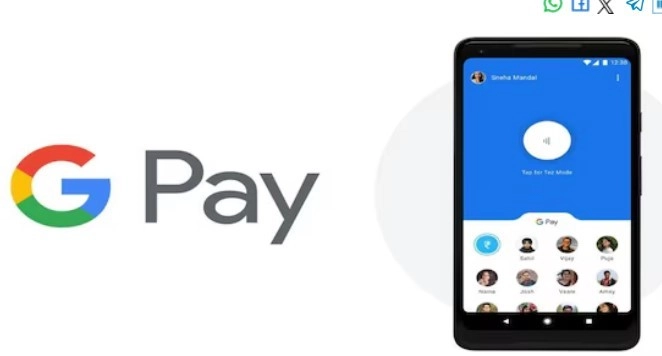
The Reserve Bank of India had announced the addition of family members under UPI in the Monetary Policy Committee meeting in August 2024.
Google Pay will soon launch its new service on Unified Payments Interface (UPI) circles. This was announced by the National Payments Corporation of India (NPCI) in September 2024.
The Reserve Bank of India had announced the addition of family members under UPI in the Monetary Policy Committee meeting in August 2024. This means that UPI primary account holders will be able to add family members to their account. This will allow family members to make payments using the primary account. This scheme is being piloted with selected users.
UPI payment will be easy
To understand in simple language, this facility allows two people to use the same bank account to make UPI payments. Understand by example, senior citizens (primary users) can assign transaction rights to their children (secondary users), so that they can make payments from their (primary users) accounts.
Use primary account
With the UPI Circle facility, two people can make digital payments using one bank account (of the primary user). Its purpose is to help those who are dependent on others for financial management. With this they can control their financial transactions.
Precautions while creating a secondary user
Here are some easy-to-follow tips to help you navigate Google Pay UPI Circle, add secondary users and make payments. For this, first ensure that the primary user authorizes the secondary user as per the need.
Approve the transaction only after thorough scrutiny and explain its scope. The primary user can create payment limits of up to Rs 15,000 per month, so that the secondary user can spend within that limit. The
primary user will have the right to take the final decision. Along with this, he also has full authority to monitor and control every transaction of the secondary user. The primary user also has to ensure that there is no wasteful expenditure from his account. To join the UPI Circle, the secondary user has to accept the request sent by the primary user within 30 minutes.
What is required to add a secondary user?
- To set up and manage UPI circles, the primary user must have an active bank account linked to Google Pay.
- The mobile number of the secondary user should be in the contact book of the primary user.
- The secondary user must have a valid UPI ID.
Step 1: Join by sharing QR code
To join the UPI circle, the secondary user needs to open their Google Pay app. Then go to their profile section and tap on the QR code icon. This will allow the primary user to scan the QR code shared by the secondary user and add them to the UPI circle.
Step 2: Verify the contact
As the primary user, you need to confirm that you are adding a trusted person as a secondary user. Therefore, you need to find the secondary user in your contact list and verify the contact.
Step 3: Primary users have control over transactions
Primary users need to choose whether they want to approve delegation transactions or approve full delegation, i.e. transactions for a whole month at once.
While selecting any transaction, the primary user receives a transaction request from the secondary user. To make this payment, they have to accept the request within 10 minutes.
On the other hand, to grant full delegation transaction approval, primary users need to set monthly payment limits for secondary users, allowing them to continue making transactions without any additional approvals, but only for the amount of the limit. For example, if the primary user sets a monthly limit of Rs 5,000, the secondary user can make multiple payments within this limit without needing to seek approval from the primary user again. Primary users can also set the last date for the full payment limit. Then, the primary user selects the payment method (bank savings account linked to UPI or RuPay credit card linked to Google Pay) for the secondary user to make the payment.
Step 4: Secondary user accepts request to join UPI circle When the primary user sends the request, the secondary user receives an invitation to join the UPI circle. He accepts the request and becomes part of the primary user's UPI circle.
How to make a payment using Google Pay UPI Circle?
Step 1: Send a payment request to the primary user For example, suppose a secondary user makes a purchase at a general store. He can scan the store's QR code, initiate a payment request with the amount, add a note for transaction details, and send the request to the primary user to accept. Then, the primary user receives the payment request and can approve or reject the payment. The primary user accepts the request and authorizes the secondary user to complete the transaction.
On the UPI Circle page, the secondary user can monitor their payment request live. This allows them to follow up on payment requests, track their payment requests, and also get information about the primary user's activities on their payment request.
Step 2: Primary user confirms payment
To accept the payment request, the primary user opens the payment request notification, taps 'Continue Payment', and confirms the payment amount.
By confirming the amount, the primary user authorizes the transaction, enters the PIN, and completes the transaction. The primary user must accept the payment request within 10 minutes, else the request will be rejected.
How will the payment process work for full delegation?
For full delegation, the notified payment limits apply. Under this, the maximum limit of transactions per month has been fixed at Rs 15,000. Whereas, the maximum limit of a single transaction is Rs 5,000.
Within these fixed limits, secondary users can make transactions without PIN. This relieves them from the hassle of sending requests repeatedly and makes it easier to make fast payments.
After making payment through half or full delegation, secondary users will see a confirmation notification in their app, which will let them know that the payment has been successfully completed.
How to secure your transaction?
There is a need to increase security for transactions made through half or full delegation. For this, secondary users will have to activate the app lock for Google Pay. This will keep your payment transaction completely safe and secure.
READ NEXT
-
Why Carrying a Power Bank on a Flight Is Dangerous: Learn Essential Safety Measures Before You Travel..

-
What are the benefits of the new Aadhaar App? Over 20 million people have downloaded it in just three months..
-
WhatsApp Update! 'Liquid Glass' Look Coming to iPhone; Chats to Become Fully Transparent

-
Chrome Is Secretly Doing This—Downloading This 4GB File Without Permission..

-
Teachers to educate students across the country with the help of AI; preparations underway to train 1 million teachers by 2027..