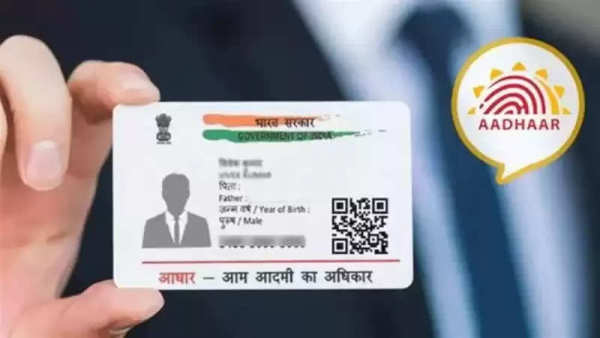
Aadhaar card, our identity! This sentence fits perfectly. Today, when we are asked for ID proof while booking a train ticket or buying a mobile, we first take out the Aadhaar card. Many of our details are printed on the Aadhaar card. Along with this, the government also has many of our personal information through the Aadhaar number. For this reason, it is also advised to keep it secure.
The Aadhaar card is an important document. In such a situation, all the information on it must be correct. For this reason, the authority issuing the Aadhaar card i.e. UIDAI (Unique Identification Authority of India-UIDAI) also advises that we should update it from time to time. UIDAI has also provided the facility of free Aadhaar updates for Aadhaar card updates.
When will Aadhaar update be free?
UIDAI has set the deadline for updating the Aadhaar card for free as 14 September 2024 (Friday). This means that till this date Aadhaar users can get Aadhaar updated online for free. If Aadhaar users go to the Aadhaar center and get Aadhaar updated, then they will have to pay the update fee (Aadhaar Updation Charge).
Let us tell you that the date for the free Aadhaar update has already been extended. If UIDAI does not extend the date for free Aadhaar updates, then after September 14, there will be a charge even for updating Aadhaar online.
How to update Aadhaar online (How To Update Your Aadhaar Card Online)
We are going to tell you the step-by-step process of updating Aadhaar online.
You have to log in by visiting the official portal of UIDAI (myaadhaar.uidai.gov.in). To log in, you have to enter the Aadhaar number and the OTP received on the registered mobile number.
Now you have to select the option of "Aadhaar Update". Here you will see your profile.
Now you have to update whatever you want to update in Aadhaar and submit it by ticking the checkbox of "I verify that the above details are correct" in the dropdown menu.
After this, you have to upload the documents related to the update and submit it.
After this, a 14-digit acknowledgment number will be displayed on your screen. You can track the Aadhaar update status through this number.
-
Key details on HMRC personal tax allowance update after Reeves decision

-
'All lines closed' after incident at UK train station shuts down network

-
Investigation launched after United Airlines jet 'strikes light pole' during landing

-
Eternal's Triple Bet Faces Profitability Test

-
Fashion quote of the day - "Fashion is the armor to survive everyday life." — Bill Cunningham