To change your name, gender, date of birth or address, UIDAI gives you a chance to update Aadhaar. However, some rules have been made regarding the facility of making changes to Aadhaar. Know how many times a person can change the name, address, gender, and DOB in Aadhaar, what is the method?
The Aadhaar card is an important document in today's time. Without it, many works can get stuck. Many times your name, gender, or date of birth can be printed incorrectly in Aadhaar by mistake. At the same time, due to repeated transfers, your address can also change repeatedly. For this, UIDAI gives you a chance to update your Aadhaar. However, some rules have been made regarding the facility of making changes to Aadhaar. Most people do not know about them. Let us tell you how many times a person can change his name, address, gender, and date of birth in Aadhaar and what is the method for this?
How many times can one change the name, address, and address?
According to the Unique Identification Authority of India (UIDAI), Aadhaar card holders are given the facility to change their name (Name Change in Aadhaar) a maximum of 2 times, that is, the name can be changed only twice. At the same time, gender and date of birth can be changed only once in a lifetime. At the same time, you can change the address on the Aadhaar card (Address Change in Aadhaar) as many times as you want. No limit has been set for this. You can change your address online yourself by giving valid proof like electricity/water/telephone bill, rental agreement or you can change it by visiting the Aadhaar enrolment centre.
Change the name like this
After marriage, many women change their surname. In such a situation, there is a need to change their name in the Aadhaar card. To change it, go to the Aadhaar enrolment centre and give your Aadhaar number to the executive officer. There you will be asked to fill the Aadhaar enrolment form. Fill it and attach the required documents. After receiving the form and all the documents, the executive officer will take your biometric data for authentication and enter the information. The proof of the document is scanned and the original document is returned. Once the application process is completed, the executive officer gives a receipt containing the receipt number. This receipt number can be used to track the Aadhaar update status. You will be charged Rs 50 for this work.
Change the date of birth in Aadhaar like this
If you want to change the date of birth in Aadhaar, then it would be better for you to go to the nearest Aadhaar enrolment centre for this because this opportunity is given to you only once. For this, documents like PAN card, birth certificate, passport, bank passbook, certificate issued by the university etc. will be required. Also, the correction form has to be filled. Now the officer present at the Aadhar center will take your biometric details and verify them, which includes everything from your finger print to iris scan. Along with this, your form will be checked and the information will be confirmed from you. If your documents are found correct, your date of birth is updated. To change the date of birth in Aadhaar, you will have to pay Rs 50 as a fee. At the Aadhar center, you are given a URN slip through which you can track the status of the Aadhaar update request online.
Change the address in this way
You can change the address in the Aadhaar card online sitting at home and you can also change the address by going to the Aadhaar enrollment center offline. This is the process to change the address online-
- First of all go to the official website of UIDAI myaadhaar.uidai.gov.in/.
- To login, enter your 12 digit Aadhaar number. After this, fill the captcha code and click on Send OTP.
- OTP will come on your registered mobile number. Enter it and login.
- Go to the Aadhaar update option in the top menu. After this, click on the option of Proceed to Aadhaar update.
- Now on the next page, select the address and click on the option of Proceed to Aadhaar update.
- After this, your current address will appear on your screen.
- After this, the option of the address you want to update will come. You will have to fill the details of the new address.
- After this, you will have to upload some documents.
- You have to click on both the check boxes given below and click on Next.
- After this, you will see the payment option. Here you will have to pay a non-refundable fee of Rs 50.
- As soon as the payment is completed, you will get a receipt. After this, your Aadhaar will be updated in a day or two.
- When the new address is updated on your Aadhaar, you will get information through a message on your registered mobile.
These documents will be required
To change the address in the card, you have to upload the document. More than 28 documents are accepted for this. You can submit any of these documents which have the address written on it which you want to update.
Passport
Bank statement (passbook, post office account statement)
Ration card
Voter ID card
Driving license
Pensioner card
Disability card
Property tax receipt (not older than 1 year)
Insurance policy (only life insurance and health insurance)
CGHS/ECHS/ESIC/Medi-claim card with photo issued by State/Central Government/PSU
Electricity bill including prepaid receipts (not older than 3 months)
Water bill, Telephone landline bill/Phone (postpaid mobile) bill/Broadband bill (no bill older than 3 months)
You also need to keep your Proof of Identity (POI), which can be your passport, PAN card, driving license.
Follow our Whatsapp Channel for latest update
https://whatsapp.com/channel/0029VaBgLMfGU3BO99EQv62t
-
When To Replace Your Kitchen Sponge For Better Hygiene
-
Why is ovarian cancer difficult to detect in women under 50? Know the causes of delayed diagnosis of critical illness

-
IPL 2026: LSG won after 6 consecutive defeats, playoff hopes alive by defeating RCB

-
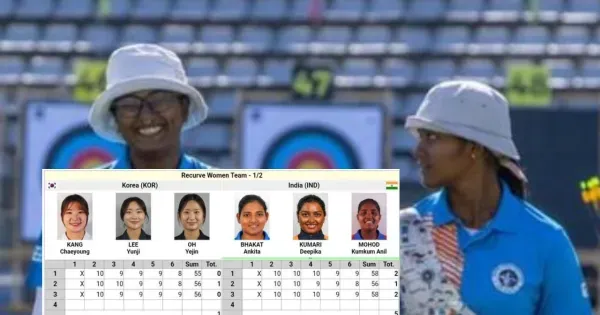
Archery World Cup: Indian women’s recurve team did wonders, made it to the finals by defeating Korea, now eyeing gold
-
Ishan Kishan made fun of PBKS’s poor fielding, girlfriend Aditi Hundia also had a funny reaction