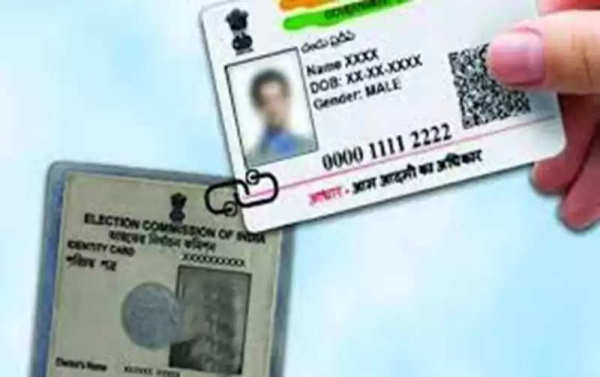
The Government of India has opened many call centers across the country. People can get linked by calling 1950 and giving Aadhaar and Voter ID information.
Why should a Voter ID card be linked to an Aadhar card?
However, what needs to be understood here is that it is not mandatory to link a Voter ID card with an Aadhar card, it depends on you i.e. it is completely voluntary.
This helps the Election Commission to prevent duplicate registration from the same or different constituencies.
How to link a Voter ID card with an Aadhar card?
If you also want to link your Voter ID card with your Aadhar card, then you can visit the Aadhar Enrollment Centre.
This work can be done offline by visiting your nearest Aadhaar center for a nominal fee.
Through SMS
Apart from this, Indian citizens can also link their Voter ID cards through SMS-
For this, the necessary condition will be to register your phone number with an Aadhaar card.
With this, you should have information about your EPIC No. and Aadhaar Number.
You can send a message in the format ECILINK
Through the Voter Helpline App
First of all, Android phone users download the Voter Helpline App from the Google Play Store.
Now open the App and click on I Agree for the terms and conditions.
Now click on Next and select the Voter Registration option.
Now Electoral Authentication Form (Form 6B) will have to be located and opened.
Now you have to click on 'Let's Start'.
Now you have to enter the mobile number, which is linked to your Aadhar card.
Now an OTP will be received on the phone, it will have to be entered and verified.
You have to click on Yes, I Have Voter ID and tap on Next.
Now select Voter ID number (EPIC), state, and click on Fetch Details.
Now you have to click on Proceed.
Now you have to give information about the Aadhaar number, mobile number, and location and click on Done.
All the details will have to be checked and verified by reviewing the page of Form 6B.
After this, the form will have to be confirmed and submitted.
Follow our Whatsapp Channel for latest update
https://whatsapp.com/channel/0029VaBgLMfGU3BO99EQv62t
-
Nurburgring 24H: India's Arjun Maini Beats F1 Champion Max Verstappen In Qualifying, Finishes Fourth In SP9

-
Punjab: Four-year-old boy rescued after falling into borewell in Hoshiarpur

-
UK Eurovision entry due to experience humiliation after 'horrendous' semi final

-
Mistrial Declared in Harvey Weinstein's Third Sexual Assault Case

-
Magnificent singing redeems Samson et Dalila at the Royal Opera