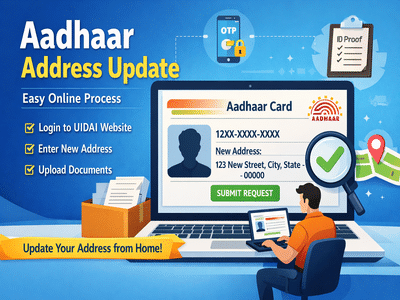
Updating your address on your Aadhaar Card is now easier than ever. Whether you’ve recently moved to a new home or noticed an error in your existing address, you no longer need to visit a physical center. The entire process can be completed online in just a few simple steps.
In this guide, we’ll explain how to update your Aadhaar address online quickly, safely, and without hassle.
Why Updating Your Aadhaar Address Is ImportantThe Aadhaar Card serves as a primary identity and address proof across India. An incorrect or outdated address can create problems in:
- Banking and financial services
- Government schemes and subsidies
- KYC verification processes
- Delivery of official documents
Keeping your Aadhaar details updated ensures smooth access to essential services.
Can You Update Aadhaar Address Online?Yes, the Unique Identification Authority of India provides an online facility that allows users to update their address from home. This eliminates the need to stand in long queues at Aadhaar centers.
Things You Need Before StartingBefore updating your address, make sure you have:
- Your Aadhaar number
- Access to your registered mobile number (for OTP verification)
- Valid address proof documents
👉 If your mobile number is not linked to Aadhaar, you will need to visit an enrollment center to update it first.
Step-by-Step Process to Update Aadhaar Address OnlineFollow these simple steps:
Step 1: Visit Official WebsiteGo to the official website of Unique Identification Authority of India.
Step 2: Select Address Update OptionClick on “Update Address Online” or “Address Update Request” available on the homepage.
Step 3: Log In Using Aadhaar Details- Enter your 12-digit Aadhaar number
- Complete the captcha verification
- Click on Send OTP
- Enter the OTP received on your registered mobile number
Once logged in:
To complete the process, you need to upload a valid proof of address. Accepted documents include:
- Passport
- Bank statement or passbook
- Post office account statement
- Ration card
- Voter ID
📌 Make sure to upload a self-attested scanned copy of your document.
Choose Service Provider & SubmitAfter uploading documents:
Once submitted, you will receive an Update Request Number (URN).
Track Your Aadhaar Update StatusUsing the URN, you can:
- Track your request status online
- Download acknowledgment receipt
- Check approval progress
- Ensure your mobile number is active for OTP verification
- Enter details accurately to avoid rejection
- Upload clear and valid documents
- Save your URN for future reference
Updating the address on your Aadhaar Card is now a simple digital process thanks to Unique Identification Authority of India. With just a few clicks, you can correct or change your address without visiting any office.
This user-friendly system saves time, reduces paperwork, and ensures your details remain accurate and up to date.
-
SRH vs LSG: Hyderabad flies under the storm of Mohammed Shami, Lucknow opens its account with its first win.

-
Cholesterol is not a disease, a sign of bad lifestyle; Know what Ayurveda says’ – News Himachali News Himachali

-
What to eat on an empty stomach to keep the digestive system healthy? Learn from experts

-
Strait of Hormuz closed for enemies, free for others: Iran envoy

-
Vijay Sethupathi unveils first look of psychological thriller ‘Don’t Sleep’