By Jitendra Jangid- Friends, smartphones have become an important part of our life in today's digital world and WhatsApp in it has become the most popular instant messaging app in the world. Which has more than 3 billion users all over the world. For which WhatsApp brings new new features, but there is also a feature that is eliminating your phone storage and they are media visibility features, let's know the full details about it
What is media visibility feature?
In WhatsApp, media visibility features automatically downloaded all photos, videos and other media files obtained. This means that whenever you get a new message, which has an image or video, it is saved in your phone storage without opening the file. Over time, it can accumulate and take too much storage space.
Why is your storage filling?
If you have seen that the storage of your phone is decreasing, the reason for this is the commissioning of media visibility features, due to which your phone gets all the received media files and save it.
Turn off media visibility for all chats:
- Open Whatsapp and go to Settings.
- Go to chat
- See the media visibility option and turn it off.
- This will prevent all the media from being saved on your own phone gallery.
Turn off media visibility for different chats:
- Open the special chat that you want to adjust.
- Tap in the name of the contact at the top.
- Scroll until media visibility and close the settings.
- By doing this, you will have more control over which media files will be saved on your device,
- Which will help you save precious storage space.
Disclaimer: This content has been sourced and edited from (tv9hindi)
-
India Slams Pakistan At UN, Says Nation With ‘Genocidal Record’ Cannot Lecture On Kashmir
-
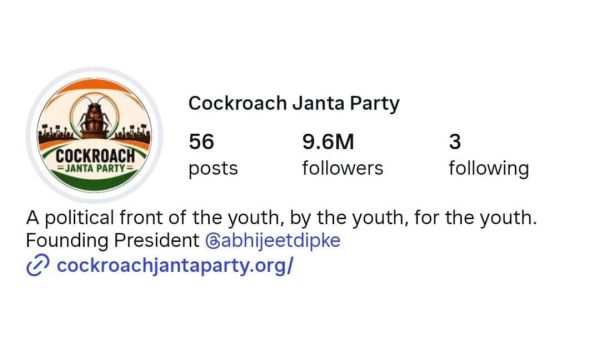
Cockroach Janta Party Surpasses BJP On Instagram, Crosses 9 Million Followers In Four Days
-
Marks and Spencer issue two word update on milk, bread and eggs price change

-
Ebola outbreak: Major airport begins screening arrivals as experts 'very concerned'
-
Tech world mourns Indian-origin Microsoft veteran Soma