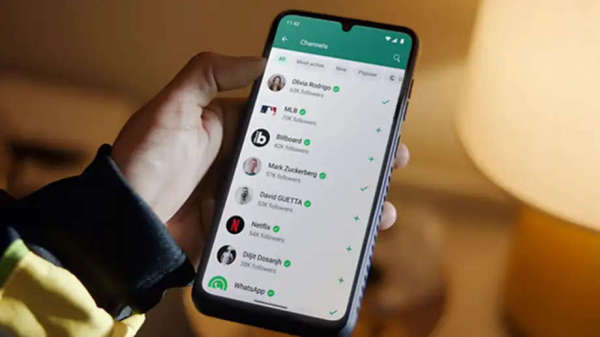
WhatsApp is a popular messaging app. More than 300 crore people use it around the world. WhatsApp can be run simultaneously on multiple devices, but if this feature is not used carefully, then someone else can access it, and much information including your chats, messages, and documents can be leaked.
Secret messages can be leaked.
If you use WhatsApp in a cyber cafe or office computer, then you need to be more cautious. Many times people log in to their WhatsApp account on another computer but forget to log out. If the same has happened to you and you want WhatsApp to log out automatically from all other devices, then this news is for you.
Use this feature
A feature called Linked Devices has been given in WhatsApp, in which you can see on which devices your WhatsApp account is running.
See who is running your account.
From here you can see at what time on which device your WhatsApp account has been run. Here you also get to know the device location.
Do this to log out
If your WhatsApp is open on a device that you do not use, then you can keep yourself safe by logging out. You will have to log out of WhatsApp from other devices one by one. For this, you will find three dots on the top right of WhatsApp, click on it. After this, click on Linked Devices. Here you can see where your device is logged in.
Option to log out also
If your account is logged in on an unknown device, then you can log out of it. Take screenshots before logging out, so that you can complain in the future etc.
Disclaimer: This content has been sourced and edited from Amar Ujala. While we have made modifications for clarity and presentation, the original content belongs to its respective authors and website. We do not claim ownership of the content.
-
Amazon, Google Among US Firms Driving $60 Billion Investment Push Into India

-
Anti-Doping Act To Be Amended; Five-Year Jail Term Proposed For Banned Drug Suppliers

-
Pulwama Attack Mastermind Hamza Burhan Shot Dead by Unknown Assailants in PoK

-
India And African Union Defer Fourth India-Africa Forum Summit Over Health Concerns

-
Nagaland State Lottery Result: May 21, 2026, 1 PM Live - Watch Streaming Of Winners List Of Dear Godavari Sambad Morning Thursday Weekly Draw