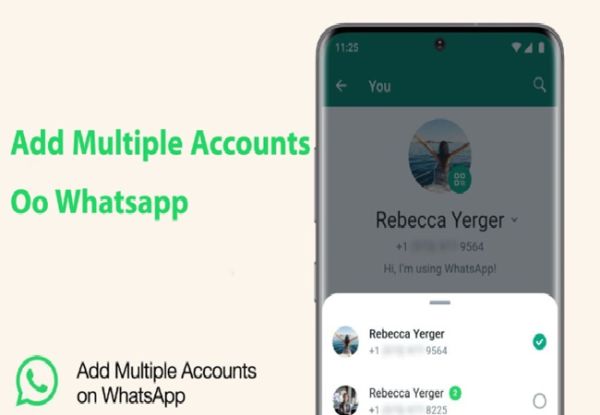
WhatsApp Multiple account feature: Meta's instant messaging app Whatsapp is used by millions of people worldwide. This app offers many facilities like chat, voice and video calling and payment to its users. With this, Whatsapp also releases several new features for the convenience of its users from time to time. In this series, the instant messaging app is preparing to bring a special feature for millions of iPhone users around the world.
Read:- Alert: The most cybercrime happening on WhatsApp, shocking revelations in the Ministry of Home Affairs
Actually, WhatsApp is now going to bring a multiple account feature for its users. Whose testing is going on. The company has officially confirmed it. According to WhatsApp blog, this multiple account feature is being brought to iPhone users. There are many users who run WhatsApp on two numbers. However, it is not possible to run two Whatsapp in many smartphones simultaneously. In such a situation, a secondary phone has to be kept to use two WhatsApp. Keeping this problem in mind, a feature with multiple account is going. In which many accounts can be run through the same app. This feature is rolled out with the iOS 25.2.10.70 version. Soon, this feature will start getting iPhone users.
According to WABETAINFO, a multiple account feature is also being tested for Android users. After this, the stable version of the new feature will be rolled out. It is being told that the chat backup, settings and chats of users' WhatsApp accounts will be different, so that the users do not have any kind of confusion. Users will be able to check and reply the message by switching both accounts in turn in turn.
How to use multiple account features
1- To use a multiple account feature, iPhone users must first update their app in the latest version.
Read:- Sub-Postmaster Committed Suicide: 'These people are responsible for my death …', Suicide note imposed on WhatsApp
2- After update, WhatsApp will have to go to the app settings and go to the account section.
3- Account section users will get the option to add account. Users will be able to accept privacy policy etc. and add to another account app.
4- Then the user will have to verify his phone number etc.
5- After this, they will be able to use the secondary WhatsApp account in the same app.
Read:- Pegasus Hacking Controversy: US court sentenced NSO group, big win of WhatsApp
-
Fuel prices hiked by ₹2.7, fourth increase in 10 days

-
Why was LeBron James snubbed from All-NBA honors? Lakers star's historic streak snapped

-
IPL 2026 Playoff Schedule: RCB vs GT Qualifier, SRH vs RR Eliminator - Timings, Dates, Format And All You Need to Know

-
Oil Slips To 2-Week Low As US-Iran Seen Moving Closer To Peace Deal

-
Nifty 50, Sensex Outlook: Will $96 Per Barrel Crude Trigger A Market Correction?
