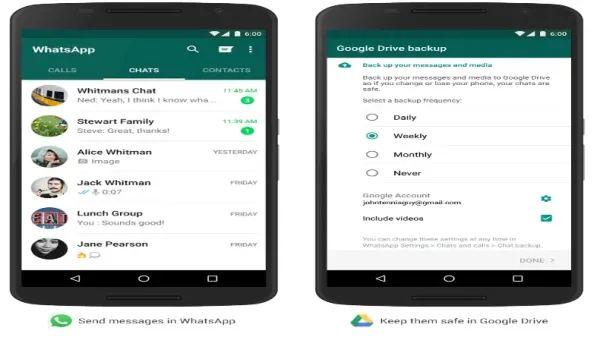
New Delhi : The font size for the app depends on your device's settings but you can easily customize it in the app's settings. This makes it easier for you to read any content on WhatsApp. There is no pressure on your eyes. All messages are clearly visible and easy to read. If you want to customize the font size on your WhatsApp, follow these steps.
Steps to change size
For this, open your WhatsApp, after opening WhatsApp, click on the three lines on the corner. Go to the Settings option and scroll down a bit. Go to the chat section. In the chat section you will see the option of font. After clicking on the font, you will get three options. In this the option of small, medium and large will be visible. Select the option you want and click on OK option. After this the font size of your WhatsApp will change.
font size
If you want to change the font size of your smartphone, then you do not have to do much. For this you will have to go to the settings of your phone. After this click on the option of accessibility. In this you will see the option of display size and text. Click on Font Size, you can increase or decrease the font size using the slider. You can adjust it as per your need. However, this setting depends on your phone model.
The secret of Nikita Singhania's maintenance demand of Rs 80,000 is revealed, the truth of the flat has come out. You will get relief from the problem of baldness in just 20 rupees, the organizers are troubled by the uncontrollable crowd.
-
India’s Wealth Story: Billionaire Count To Hit 313 By 2031, Growth To Outpace China, US

-
'This Team Doesn’t Depend On Just 1 Person,' Says Skipper Rajat Patidar As RCB Storm Into The IPL Final To Defend Their Title

-
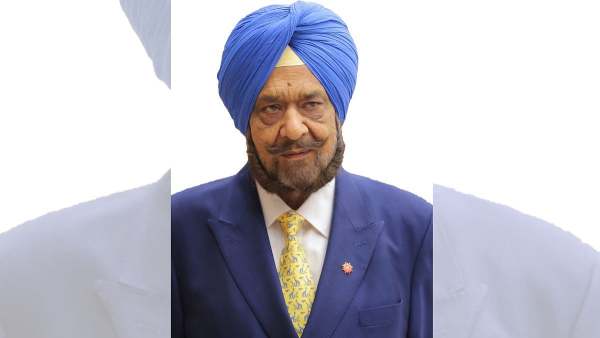
Veteran Sports Administrator & India’s First Asian Games Shooting Gold Medallist Randhir Singh Passes Away at 79
-
UGC NET June 2026 Correction Window Closes Tomorrow; Edit Forms At ugcnet.nta.nic.in

-
UP CM Yogi Adityanath Reviews Health & Medical Education, Pushes Tech-Driven Hospital & Infrastructure Reforms