Has your WhatsApp barcode gone viral? Know the complete process to reset it
ECONOMIC TIMES | December 5, 2024 11:49 AM CST
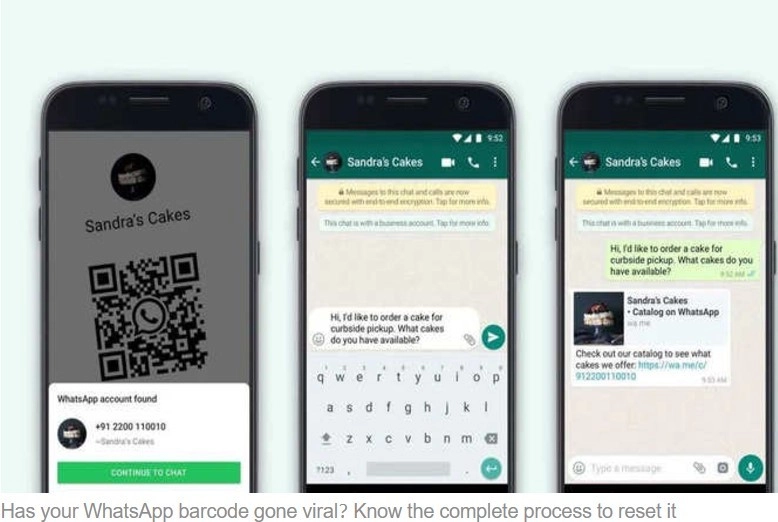
Through this feature, you can connect to WhatsApp through barcode only without giving your number to anyone. For this, you only have to share the barcode. After this, whoever scans this code can connect with you through chat.
WhatsApp brings many new features for its customers. So that the work of the users can be done easily. One such feature is WhatsApp Barcode. Using which, users can chat with anyone without sharing their contact number. This feature has been started with the aim of maintaining privacy.
Many times we do not want to share our mobile number with everyone, but we have to do it for important work. Understanding this problem, this great feature called WhatsApp Barcode was started. Many people are not aware of this feature. In this, you can set the barcode according to your needs.
How is the WhatsApp barcode used?
Through this feature, you can connect to WhatsApp through barcode only without giving your number to anyone. For this, you only have to share the barcode. After this, whoever scans this code can connect with you through chat.
How to get your phone's barcode
If you also want to chat with someone through WhatsApp barcode, then for this you have to follow some simple process.
· First of all open WhatsApp.
· Now go to settings.
· On the right side of your profile, you will see the barcode icon, which has to be cleaned.
· After clicking, the barcode will start appearing in front of you. You will also see the option to scan someone else's code here.
· You will see the share option on the right side, after clicking on which you will get the option of through which medium you want to share it.
· Now whoever scans your code will join the chat with you.
Procedure for resetting barcode
You can also reset your barcode. This option is given so that if by mistake your barcode goes to the wrong person or the wrong group or it goes viral, then in such a situation you can avoid trouble by resetting your barcode.
· On going to the barcode page, you will see three dots on the top right side, after clicking on which you will see the option of reset QR code.
· After clicking on this option, you will be asked whether your existing barcode will no longer exist.
· In which if you want to keep the same code then click on Keep, if you want to change the code then click on Reset.
READ NEXT
-
Do you also get tired quickly in summer? You can increase your stamina with regular exercise, know how

-
Cancer causes and prevention measures: A new vision

-
When to celebrate Jyeshtha Purnima on 30th or 31st May? Know the auspicious time of fasting and bathing and donation

-
Singapore bus driver returns passenger’s US$35,000 diamond ring

-
Mehwish Hayat trained in Zumba for her role in ‘Zombied’