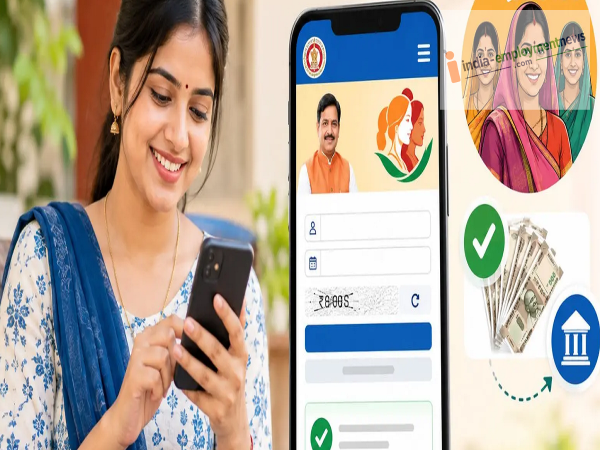
The 40th installment of the Ladli Behna Yojana has been released. Learn the easiest way to check your application and bank account payment status using your mobile phone.
Ladli Behna Yojana Status Check: The 'Mukhyamantri Ladli Behna Yojana' has become a powerful means of economic empowerment and self-reliance for over 1.25 crore women in Madhya Pradesh. Recently, Chief Minister Dr. Mohan Yadav transferred an amount exceeding ₹1,835 crore directly into the bank accounts of beneficiary women via DBT (Direct Benefit Transfer) as the 40th installment of the scheme.
If you are also a beneficiary of this scheme and wish to check your application status or the status of the installment payment, the process is very simple. In this article, we will guide you step-by-step on how to check your status from the comfort of your home using your mobile phone.
Key Highlights of Ladli Behna Yojana
- Monthly Assistance: Under the scheme, eligible women receive financial assistance of ₹1,500 per month.
- Total Transferred Amount: Since the scheme's inception in June 2023, the state government has transferred a total of over ₹65,000 crore to women's accounts.
- Transparent Payment: All installments are paid directly into bank accounts via online DBT.
- How to Check Ladli Behna Yojana Status Online? (Step-by-Step Guide)
- Follow the steps below to check your application status or payment status:
Step 1: Visit the Official Website
First, open the official Ladli Behna Yojana website (cmladlibehna.mp.gov.in) in the browser on your mobile phone or computer. Step 2: Click on "Application & Payment Status"
On the website's homepage, you will see an option for "Application & Payment Status" in the menu bar; click on it.
Step 3: Enter your details
A new page will open. Here, enter your Ladli Behna Application Number or your 9-digit Samagra ID.
Step 4: Enter the Captcha and send the OTP
Accurately enter the security code (Captcha Code) displayed on the screen and click the "Send OTP" button.
Step 5: Verify the OTP
A 4 or 6-digit OTP will be sent to your registered mobile number. Enter that OTP in the designated space and click "Search".
Step 6: View the status
Once the OTP is verified, your complete details will appear on the screen:
Application Status: Whether your application has been approved or not.
Payment Status: How many installments you have received so far, the date the money was sent, and the bank account in which it was deposited.
Points to remember while checking the status
If you face any issues while checking the status or receiving the payment, please ensure the following:
DBT (Direct Benefit Transfer) is active: Your bank account must be linked to your Aadhaar, and the DBT service must be enabled. Without DBT, the scheme amount will not be credited to your account.
e-KYC is complete: Completing the e-KYC process for your Samagra ID is mandatory.
Assistance and Helpline
If you encounter any difficulty checking your status or if your installment has been halted, you can contact the scheme's official helpline number:
Toll-free helpline number: 0755-2700800
Official website: cmladlibehna.mp.gov.in
-
Roberto De Zerbi’s Tottenham Hotspur make unwanted history as 50-year scoring drought comes to light

-
Paul Scholes says the jury is still out on Manchester United regular Senne Lammens

-
WATCH: Sachin Tendulkar, Suryakumar Yadav Among Stars At Ambani’s Ganesh Chaturthi Celebrations

-
Doc Talk | Protein Craze In India: Why More Protein Doesn't Always Mean A Healthier Diet

-
Oracle Layoffs: Employees Opened A 6 AM Email To Find These 5 Words - ‘Today Is Your Last Working Day’