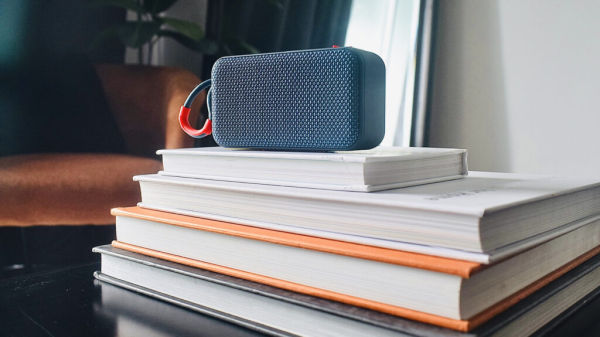
Bluetooth speakers offer heaps of convenience in the form of wireless listening and easy portability in comparison to their wired counterparts, but they still aren’t totally free from problems. Sometimes, those problems can be chalked up to a fluke, bad luck, or being a part of a particularly problem-prone product line. But other times, the problem is just reflective of a common pitfall with Bluetooth speakers.
Your mileage may vary, of course. If you own one of the best Bluetooth speakers on the market, then you might be able to enjoy wireless music without worrying as much about running into trouble. But, in some cases, you might find yourself dealing with connectivity issues, sound quality problems, or quiet audio. The exact nature of the problems you face can differ from one brand or device to another, but there are a few common things you can expect to face at some point along the way.
Generally speaking, most of them can be fixed one way or another. It could be as simple as moving your speaker and playback device closer together, turning it off and on again, or restarting the pairing process. However, sometimes, you might need to find a nearby repair shop so a professional can take a look at your busted speaker, or you could end up
on the market for a new Bluetooth speaker
.
Your speaker and other devices won’t connect properly
If you’ve ever used a Bluetooth speaker, then there’s an issue so common, it almost goes without saying: your speaker might sometimes struggle to connect to your phone, computer, or game console altogether, rendering you totally audio-less. Besides being one of the most well-known problems with Bluetooth speakers, it’s also arguably one of the most inconvenient. After all, what’s the point of a speaker that won’t produce any sound at all?
Exactly how you fix this issue depends on what’s causing it. Unfortunately, there are all kinds of reasons why you might not be able to connect your device to your Bluetooth speaker. It could be as simple as a glitch or a pairing error, or indicative of a deeper hardware issue. You might be able to fix pairing problems by restarting both the speaker and your device before trying to connect again.
If that doesn’t work, you should try re-pairing your device with the speaker from scratch. Exactly how you do that depends on the device and its operating system. You can generally find the steps for doing so in its Bluetooth settings. If you’ve ruled out any pairing issues, it’s possible your speaker’s Bluetooth functionality is at fault. In that case, it could require repairs or replacement. But first, try pairing a different device with your speaker to see which one is causing the problem.
Interference can cause delays and audio lag
One of the most common problems you can face while using a Bluetooth speaker — even one without any faults at all — is delayed, lagging, or otherwise glitchy audio. This is often caused by interference. Interference happens when your speaker can’t communicate clearly with the device sending it audio, such as your phone or computer, leading to poor-quality audio. There are all sorts of reasons for this, ranging from physical objects obscuring the speaker to a crowded frequency band interfering with the connection.
Nobody wants to deal with interference and delays while using your speaker, especially when using it to watch TV or play video games. Audio delays can cause dialog to go out of sync with on-screen mouth movements while watching a movie, and sound cues can lag behind where you need them to be while gaming. That’s especially problematic if you’re playing anything fast-paced and sound- or music-oriented, like a rhythm game.
If your speaker’s interference isn’t being caused by a physical obstruction like a wall, clutter, or even a passerby, then a crowded frequency band is likely to blame. Bluetooth speakers communicate over the 2.4 gigahertz (GHz) band, but it isn’t alone. Other gadgets and devices around your home, like a microwave or Wi-Fi router, also share that band with your speaker. Too much competing wireless traffic can interfere with the connection carrying your music, which can negatively impact your audio quality. Think of it like being in a crowded room, where you’re struggling to hear the person you’re actually speaking to.
Limited range can hurt audio quality and connection reliability
It’s easy to forget how much proximity matters when it comes to Bluetooth speakers. They’re wireless by nature, meaning your phone or computer isn’t literally tethered to your audio equipment anymore. Despite that, your metaphorical leash isn’t quite as long as you might think it is. The further away your speaker is from the playback device it’s connected to, the worse your Bluetooth connection is. That can have a hugely negative impact on your overall listening experience, as sound quality and connection stability are compromised by longer distances between devices.
Bluetooth offers different connectivity ranges depending on its generation, but generally speaking, modern technology tends to span from around 30 feet to hundreds of feet under ideal conditions. Bluetooth 5.0 connections can transmit data up to around 800 feet, depending on interference and what your speaker’s made of. If you exceed your speaker’s range, or block the signal in some way, then you’re going to face sound dropouts and other strange audio artifacts that can make your speaker sound just plain bad.
Thankfully, the fix is simple. You just need to get a little closer to your speaker. However, if that hasn’t helped, the problem could be with the speaker itself. Low-quality internal batteries that don’t hold charge well can easily leave your speaker sounding thin and your connections unstable.
Quiet, muffled, or muddied audio coming from your speakers
Your speaker sounding a little quiet isn’t exactly a Bluetooth-specific problem, but Bluetooth speakers sometimes have their own reasons for doing so. If the culprit behind your less-than-ideal audio is Bluetooth-specific, then it could be the quality of the connection between your devices. Again, that means you need to look out for things like interference issues and your speaker’s range to make sure you have the best possible conditions for listening to music. But those aren’t the only reasons why your speaker might struggle to transmit high-quality audio.
Your Bluetooth speaker might also struggle to produce loud and clear sound if it has a power issue. If that’s the case, then your speaker isn’t getting as much power as it needs to run to its full capabilities. That might happen if your speaker’s power supply is damaged, it’s running low on charge, or if it runs on a cheap, low-capacity battery. Even the best cheap Bluetooth speakers can still run into this issue, so it’s something that’s worth looking out for.
Another reason why your speaker might sound muffled or quiet is if it’s running on outdated firmware. Firmware is basically software embedded in your speaker that helps control how it operates. It doesn’t need to be updated very often, but it does need occasional maintenance. Your best bet for figuring out how to update your speaker’s firmware is by taking a look at the instruction manual it came with or other manufacturer guidance you can find, like a company website.