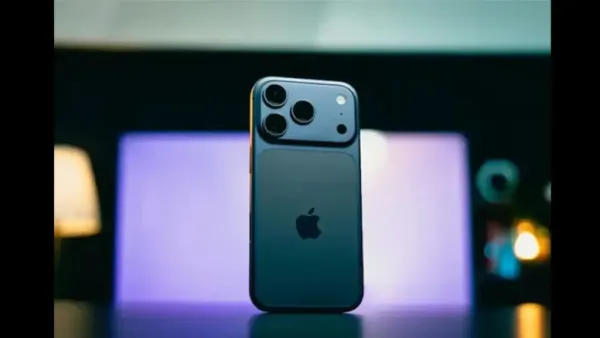
Apple has released the fifth public beta of iOS 27 ahead of its next big iPhone launch event. The new update is available to users who are enrolled in Apple’s Public Beta Software Program. The new beta comes about a week after the fourth public beta. Earlier, the company had also released the seventh Developer Beta.
In this new Public Beta of iOS 27, the main focus of the company is on fixing bugs and improving the stability of the system. There is no major new feature or important change for the users in this. In such a situation, this update is mainly a step towards making the final version of iOS 27 more stable and better.
New iOS 27 Beta arrives before iPhone launch
The release of Apple’s new iOS 27 Public Beta has come at a time when the company is preparing to launch new iPhone models. According to reports, Apple may introduce new iPhone models on September 9. These are discussed to include iPhone 18 Pro, iPhone 18 Pro Max and iPhone Ultra. However, no major new features of iOS 27 have been included in the new Public Beta. The company is currently paying more attention to the performance, stability and bug fixes of the operating system.
How to download iOS 27 Public Beta?
If you want to try iOS 27 before its official release, you can download it by joining Apple’s Public Beta Software Program. For this, first of all go to the website of Apple Beta Software Program and sign up or sign in. After this, login with the Apple Account linked to your iPhone, accept the terms of the Beta Program and complete the enrollment process.
After this, open Settings app in iPhone and go to General > Software Update > Beta Updates. Select iOS 27 Public Beta here. After this go back to the Software Update page. When a beta update is available, it can be installed by tapping on the Update Now option.
Keep in mind before installing Beta Update
Caution is advised before installing Apple’s beta software on a mainstream device. There may be bugs in the beta version and sometimes it may cause unexpected issues in the phone. Therefore it is better to install it on a secondary iPhone.
If you are planning to install iOS 27 Public Beta on your main iPhone, then make sure to backup your important data before starting the update. With this, important photos, files and other data can be kept safe in case of any problem.
iOS 27 Public Beta available on these iPhone models
iOS 27 Public Beta has also been made available for many older iPhone models. This includes iPhone 17 Series, iPhone 16 Series, iPhone 15 Series, iPhone 14 Series, iPhone 13 Series, iPhone 12 Series and iPhone 11 Series. Apart from this, iPhone SE (2nd Generation) and later models also support iOS 27 Public Beta. In this way, old iPhone users can also experience the new iOS before the final release.
-
Germany Blames Russia For Attempted Drone Attack At Leipzig Airport

-
Liverpool make late move to sign Chelsea star Malo Gusto on loan, but Blues turn down bid without compulsory buy clause

-
Enzo close to Manchester City switch as Deadline Day gathers pace

-
Throw away the onion-garlic peel? 4 ways to use instead of waste

-
Bridal colours set to take a bold turn in 2026