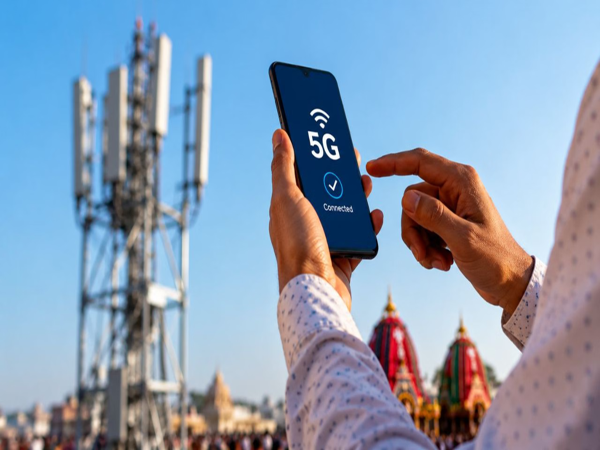
The way we use the internet on smartphones has changed significantly with the arrival of 5G. Thanks to high-speed networks, videos load in seconds, and downloading large files takes very little time. However, this high speed has a downside. Many users complain that their mobile data runs out much faster than expected on 5G, and their battery drains rapidly.
Network speed isn't the only factor responsible for this. Certain phone settings and apps running in the background can also increase data and battery consumption. The good news is that this issue can be largely mitigated with a few simple adjustments. Let's find out how...
Why does 5G consume more data?
When connected to a fast network, many apps automatically increase content quality. For instance, a video on YouTube or other platforms that previously played at a lower resolution might stream in high quality once 5G is available. Consequently, watching the video consumes more data per minute.
Additionally, apps can rapidly download photos, videos, feeds, and other data in the background. This is why a user's data pack often depletes quickly without them even realizing it.
1. Disable background data for non-essential apps
First, identify the apps that are consuming the most data in the background. On an Android phone, navigate to options like Settings > Network & Internet/Connections > Data Usage. The exact names of these settings may vary depending on the phone brand.
By reviewing the list of data-consuming apps here, you can disable 'Background Data Usage' for apps—such as social media or shopping apps—that do not require constant internet access. Once disabled, these apps will primarily use data only when you actively open and use them.
2. Keep 5G on 'Smart Mode' to save battery
Staying connected to the 5G network at all times isn't ideal for battery life, especially in areas where the 5G signal is weak or unstable. In such situations, the phone may repeatedly search for a better network and switch between 5G and 4G.
If your phone has a "Smart 5G," "Auto 5G," or similar option, it is best to use it. This allows the phone to switch networks based on need and prevents battery drain caused by constantly searching for a weak 5G signal.
3. Pay attention to Wi-Fi and Bluetooth scanning
Wi-Fi and Bluetooth scanning on your phone also continuously drain the battery. To disable this, you need to go to your location settings and turn off Wi-Fi and Bluetooth scanning. However, reconsider before turning them off if you rely on features that depend on these functions.
4. Reduce battery consumption by removing unnecessary apps
Check the "Battery" section in your settings to see which apps are consuming the most power. For apps that do not require background activity, you can use options like "Restricted Battery Usage" or "Battery Optimization." This helps limit unnecessary activity when the screen is off.
5. Keep auto-updates under control
It is not just you who benefits from 5G's high speeds; your phone's apps do too. If automatic app updates over mobile data are enabled in the Google Play Store, apps will continuously consume data while updating. To avoid this, you can choose the option to update apps only via Wi-Fi. Making these small changes can reduce issues like running out of data or your battery dying in the middle of the day.
Disclaimer: This content has been sourced and edited from Amar Ujala. While we have made modifications for clarity and presentation, the original content belongs to its respective authors and website. We do not claim ownership of the content.
-
Arunachal Pradesh Is 'Integral' Part Of India: MEA Responds To China’s Renaming Move

-
Amit Shah Likely To Speak On Student Issues In Lok Sabha Tomorrow
-
'Vande Mataram' Gets Equal Legal Protection As 'Jana Gana Mana', President Gives Nod

-
GamingCon Bharat 2026 Adds MeepleCon, India’s Largest Board Game Convention, Targets 20,000+ Visitors In Mumbai

-
Meta's Mark Zuckerberg Lays Out Vision For 'Personal Superintelligence', Says Power Must Not Be Concentrated In A Few Hands