TRAI Channel Selector App: You can save significantly on your monthly TV bill by removing unwanted channels and customizing your packs in accordance with TRAI regulations.
TRAI Channel Selector App: Most DTH and cable users have likely wondered at some point why their bill keeps rising despite no change in their viewing habits. The primary reason isn't necessarily price hikes by operators, but rather the channels and packages users select and then forget about, failing to remove them later.
The Telecom Regulatory Authority of India (TRAI) developed its Channel Selector App specifically to address this issue. Yet, the very people who could benefit most from it have often never even opened the app.
How does this app help?
Under TRAI's tariff regulations, customers pay for specific channels and packages. Since cable or DTH operators are indifferent to which channels you actually watch, they make no effort to remove unused channels from your list. Consequently, your TV subscription costs tend to creep up over months or years. Examples include a sports package subscribed to during a specific season that was never cancelled, default regional channels, or add-ons chosen during promotional offers that continue at full price later. The result is that while your viewing habits remain the same, your bill keeps increasing.
What should you do?
TRAI's Channel Selector App is readily available on the Google Play Store and Apple App Store. If you prefer not to download an app, you can also use the service directly via its official website. Once you open the app or website, simply select your TV operator—such as Tata Play, Airtel, Dish TV, etc.—from the list. Next, log in by entering your registered mobile number, subscriber ID, or set-top box number. You will receive an OTP on your number; entering it will complete the login process.
Once logged in, the app will display a comprehensive overview of your TV subscription. Here, you can clearly see which packages are currently active, which individual channels are running, the total number of channels in your pack, and the monthly bill amount. This step is often the most surprising, as many users discover here that they are paying for dozens of channels they never actually watch.
An important point before you begin
The login process and support details may vary slightly depending on the TV operator (e.g., Airtel, Tata Play, Dish TV). For instance, some operators might ask for a subscriber ID instead of a registered mobile number, or the menu language might differ. Therefore, do not panic if the app's interface does not exactly match the steps described above. Instead of assuming there is a glitch in the app, carefully read the on-screen instructions provided by your operator and proceed accordingly.
-
'Captains Expected To Set Standards': Ex-Wife Calls For Ashleigh Gardner's Sacking After Affair With Younger Teammate

-
Govinda Reveals He Was 'Kind Of' Suicidal After Mother Nirmala Devi's Death: 'I Was In Tremendous Pain, Felt Everything Was Over'

-
Man booked for stalking flight attendant at Hyderabad Airport

-
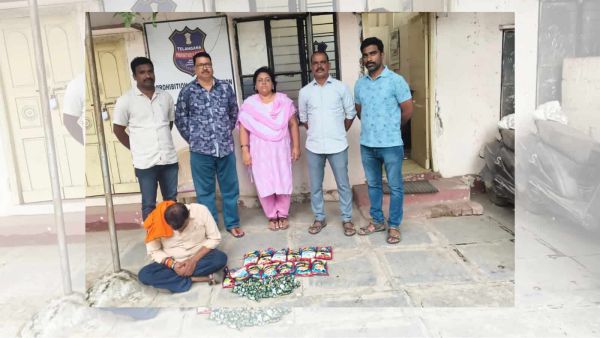
Man caught with 4.2 kg ganja chocolates in Rangareddy district
-
Mamata attacked during visit to deceased TMC worker’s house