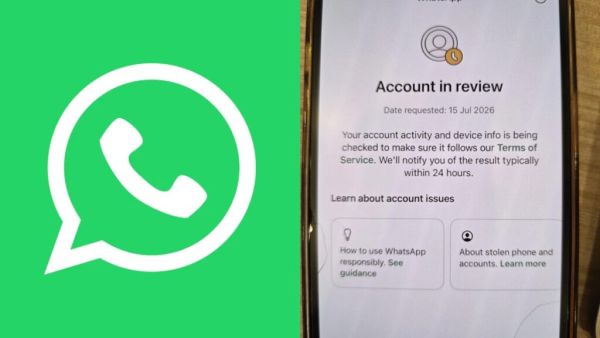
WhatsApp Account in Review: Thousands of WhatsApp users in several countries, including India, are currently experiencing a strange issue. When people open the app as usual, the message “Account in review” appears on their screen. Subsequently, users are unable to send messages or access their old chats. The sudden 24-hour review of a large number of accounts has led to a flood of complaints on social media. If your account is affected by this issue, there’s no need to panic. It’s important to follow the correct procedures to correct it.
Why are WhatsApp accounts going into review?
WhatsApp’s official help guide states that an account is temporarily placed under review when it is suspected of violating the company’s Terms of Service. The most common reason is believed to be the use of third-party apps like GB WhatsApp or WhatsApp Plus. Additionally, sending bulk messages, spam activities, unauthorized data scraping, or suspicious behavior can also lead to an account being put under review.
What does a 24-hour review mean?
It’s been observed that when an account is listed as “Account in review,” WhatsApp’s security team investigates the account’s activities and device information. During this time, the user cannot use any of the app’s features. This process is typically completed within 24 hours, and the company then notifies the user of its decision through a notification. If the investigation reveals no serious violations, the account may be reactivated.
What to do to get your account back?
For information, if your account is in review, tap the “Send review request” option within the app. Then, write down your issue and submit the request. Keep in mind that only one phone number is reviewed at a time. If the “Review Request” option isn’t visible in the app, it may mean that permanent action has been taken on the account.
Avoid these mistakes and your account will not be banned.
Please note that repeatedly contacting the support team or messaging from another account after submitting a review request will not speed up the process. Furthermore, no third-party agency or individual has the authority to unban your WhatsApp account. To avoid such problems in the future, always download the official WhatsApp app from the Google Play Store or Apple App Store, avoid sending spam or bulk messages, and avoid using any modified apps. This will keep your account safe and reduce the risk of a permanent ban.
-
Arrogant government, DMK chief Stalin lashes on CM Vijay

-
US says Iran deal on Hormuz likely ‘today or tomorrow’

-
Kanwar yatra turns violent as children, cops, devotees attacked

-
Sobhita Dhulipala shares her ‘political secret’ nobody knows

-
WATCH: MS Dhoni Turns Heads With High-Speed Superbike Ride At Chennai Racetrack