BGMI New Update Size: There is less storage in the phone and the game is hanging due to the new update? Learn how to update games with a low-space pack and 2 easy settings without deleting any apps.
BGMI Update Download Guide: Are you also getting the message 'Storage Full' while downloading the new 4.5 update of Battlegrounds Mobile India (BGMI) in your phone? To celebrate the completion of 5 years of the game, KRAFTON has released the biggest and explosive update till date, but as soon as the gamers are going to update it, there are complaints of less space and game hanging (lag) in phones with 3GB and 4GB RAM. If your phone also has less memory, then there is no need to worry at all. Today we are going to tell you such a smart trick, by which your game will be updated easily without deleting any photo, video or app and it will run very smooth while playing.
Why does the phone hang after updating to BGMI 4.5?
Often, after updating from the Play Store, gamers download all the resource packs available inside the game simultaneously, due to which the size of the game increases and the phone starts hanging.
How to download BGMI 4.5 update without full storage
Step 1: Clear Play Store Cache
Before updating, go to your phone's Settings > Apps > Google Play Store and click on 'Clear Cache'. This will remove unnecessary temporary files and the update will start quickly.
Step 2: Select 'Low-Spec Resource Pack' only
When you open the game for the first time after updating, two options will appear on the screen. First HD Resource Pack and Low-Spec Resource Pack. If your phone has less storage, then always select Low-Spec (smaller pack). This will not affect the graphics of the game much, but will save 2 to 3 GB of phone storage.
Step 3: Turn off auto-download
Go to the game's Settings > Downloads and uncheck 'Auto-Download' at the top. With this, the game will not automatically download unnecessary clothes, gun skins and voice packs.
Step 4: Download only relevant maps
Only download in-game maps (like Erangel or Livik) that you play with friends every day. Loading all the maps is where the game lags the most.
2 settings to prevent game hangs and lag
change graphics settings
Go to the game's Settings > Graphics. Always keep the upper option on 'Smooth' and set the lower one (Frame Rate) as high as possible (High, Ultra or Extreme). With this the game will run without stuttering.
Keep background apps closed
Before starting the game, close (Clear) all the apps running in the background of the phone like Instagram, WhatsApp or Chrome, so that the entire RAM of the phone is available only to BGMI.
Why is it important to make space in the phone?
- By applying a little smart trick, downloading this 4.5 update can be worth the money, because this time KRAFTON has created a ruckus in the game. Now the world's most luxurious car Ferrari will run in the grounds of Erangel instead of the old sour cars. Displays of real F1 racing cars have also been placed in the map.
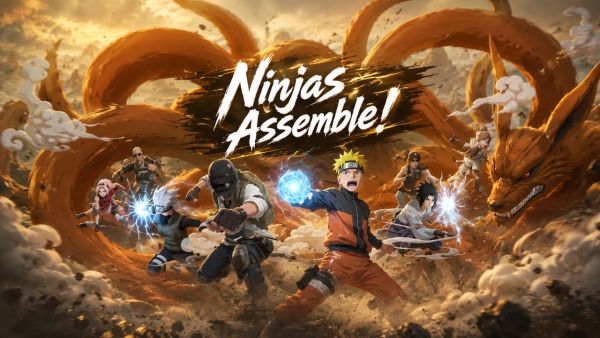
- Now we can do without gun also. Ninja mode has arrived in the game, where you can blow up enemies with powers like 'Rasengan' and 'Chidauri'.
- Spider-Man mode will arrive from July 30th. With this, you will be able to fly in the air like Spider-Man by throwing webs on the big buildings of the map.
- For the first time, you will be able to upgrade your expensive X-Suit for free by completing missions in the game. Also, around August 15, India's number-1 YouTuber CarryMinati is coming with his special entry and dialogues (voice pack) in the game!
-
Karonda Benefits: From weight loss to bone strength, know the 5 best health benefits of Karonda.

-
IRCTC’s MP Wildlife and Heritage Tour
-
Special train will run between Katra and Haridwar this week, route and schedule will be like this
-
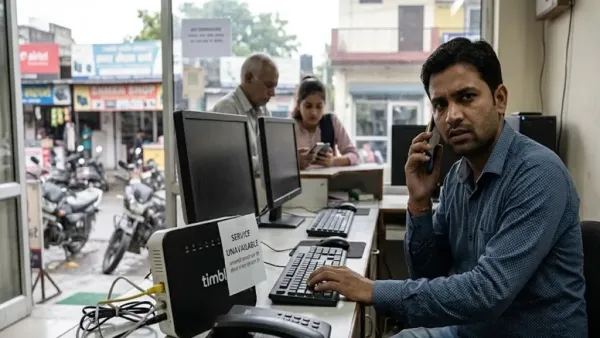
Timbl Broadband service stopped without informing, crores of rupees of customers stranded; Officials switched off phones
-
This rare wild fruit is available only for 20 days! It gets spoiled in 3 days, but you will be surprised to know the benefits.