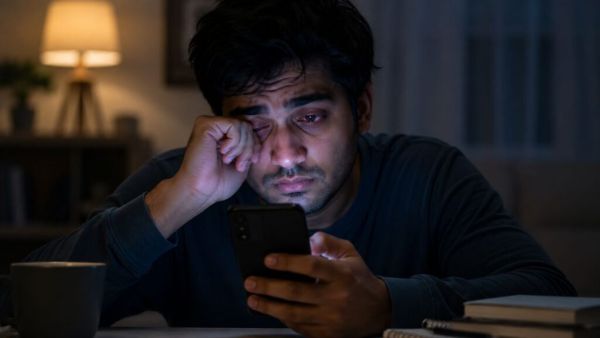
- Using auto brightness or low brightness reduces screen eye strain in the dark.
- Turning on the blue light filter and dark mode before going to sleep can help relax the eyes and improve sleep quality.
- Keeping the phone at the right distance from the eyes and using features like Screen Distance reduces eye strain.
For everything from playing games to getting updates from around the world and from posting on social media to calling someone of smartphones is used. Many people have to constantly look at the smartphone screen for work. Some people have to look at the phone screen for 6 to 10 hours continuously. which causes eye strain. This increases headache and also weakens the eyesight. But to deal with this problem you can change some settings of the smartphone. This setting can be beneficial for you. Let’s know about this in detail now.
BSNL Broadband Plan: Increased tension of Jio-Airtel! Govt Telecom Company Launches Cheap Broadband Plans, Powerful Benefits at Low Price
Reduce screen brightness in the dark
Screen brightness is very important when using the phone in strong sunlight. So users increase the screen brightness after getting hot. But this setting needs to be changed while using the phone in the dark. Lowering the screen brightness in the dark will not strain your eyes. In modern phones you will get the auto-brightness feature, which automatically adjusts the brightness based on the ambient light. If you get tired of constantly adjusting the brightness in the heat or darkness, you can opt for the auto brightness option. (Photo Courtesy – AI Created)
Turn on a blue light filter before bed
Sun rays contain up to 25 percent blue light. This light energizes you and keeps you alert throughout the day. Your phone screen also emits blue light. This light is not as powerful as sunlight. But this can disturb your sleep. Exposure to blue light inhibits the brain from releasing the sleep-inducing hormone, melatonin. So if you use your phone while sleeping, turn on the blue light filter. This will filter out blue light and help your brain release sleep-inducing hormones.
Dark mode will also help
If you use your smartphone in the dark, turn on dark mode. It has white text and black background. This reduces glare and eye strain. Another advantage of dark mode is that it reduces battery consumption. Due to this, charging does not end quickly.
Tech Tips: Be it rain or stormy wind.. Get alert before the weather gets bad! Now turn on this setting in the phone
Screen Alert Distance
If you look too closely at the smartphone screen, it can cause eye strain. This can cause strain on children’s eyes. So try to keep the phone away from your eyes as much as possible. For this, iPhone has a feature called ‘Screen Distance’. If you hold the phone less than 12 inches away from your eyes, this feature will alert you.
-
Aesthetic Home Decor Ideas: Home will look beautiful like Pinterest even in low budget, know 7 easy ways
-
Swara Bhaskar reached Jantar Mantar to meet Sonam Wangchuk, fiercely attacked Modi government

-
Monsoon AC Settings: Run AC on this secret mode during sticky monsoon season; Humidity will disappear from the room immediately and cool air will come in!
-
Madonna ‘still pinching’ herself over latest chart-topping milestone

-
A Big Opportunity Arrives For 4 Zodiac Signs By The End Of July 2026