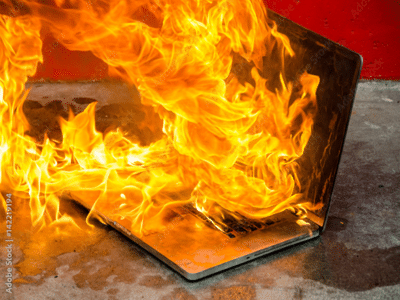
Gaming Laptop Cooling Tips: Overheating on a gaming laptop can ruin all the fun of gaming. Today, we'll explain why laptops overheat and how to keep them cool.

Gaming Laptop Cooling Tips: How to Keep a Gaming Laptop Cool?
Gaming Laptop Cooling Tips: If your laptop overheats during gaming, it ruins all the fun. If your gaming laptop heats up and turns to blazing hot during gaming, you're not alone. Gamers worldwide are grappling with this issue. Today, we're going to explain why gaming laptops overheat and how you can keep them cool to fully enjoy your games.
First of all, know the reason for heating
Design - Gaming laptops can suffer from malfunctions simply due to their design, even without any visible defects or glitches. Gaming laptops use desktop-level performance hardware. They feature powerful processors and graphics cards, which generate significant heat during use. Since laptops don't have as much space as desktops, dissipating heat becomes difficult, leading to overheating.
Blocked cooling system - Even if your laptop has a powerful cooling system, a blockage can be problematic. Sometimes, dust buildup can clog the air vents, causing the laptop to overheat. Using your laptop on a soft surface like a blanket or sofa can also cause clogged air vents.
Background processes - Software-related issues can also cause a laptop to overheat. Outdated drivers, background processes, and unoptimized game settings can all increase the load on the laptop's resources and cause it to work harder. This will cause the processor to generate more heat.
How to keep the laptop cool?
- Using a cooling stand or cooling pad can help keep your laptop cool. These help increase airflow around the laptop, which can reduce the temperature by 5-8 degrees.
- While gaming, close all unused programs and unnecessary background activities on your laptop. This will reduce the load on the processor and prevent it from overheating.
- Keep your laptop clean and free of dust. Clean the fan, heat sink, and vents with a soft brush.
- You can also control your laptop's power and fan settings to prevent overheating. Most gaming laptops come with built-in control software that allows you to optimize settings.
-
Air India, AI Express planes come face-to-face on same runway at Mumbai airport

-
HP: Cloudburst hits Kullu’s Garsa Shilanala; wet spell to continue till Jul 13

-
Gurugram submerged: Road cave-ins, unending traffic jams add to woes; corporates advised WFH

-
Bengaluru police defend whistleblower's arrest in daycare abuse case

-
How ageing affects our eyes