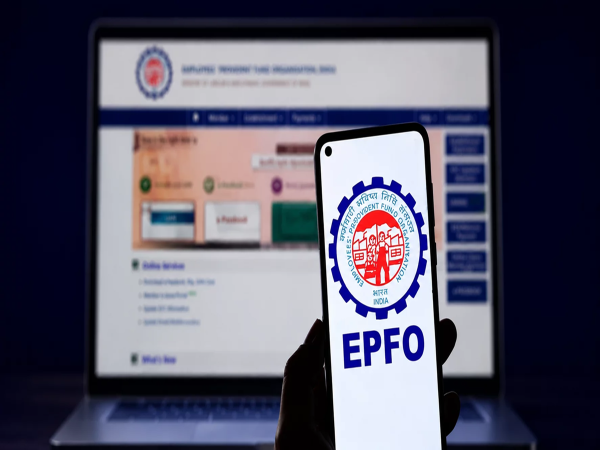
EPFO Discontinues UAN Activation on Portal: The Employees' Provident Fund Organisation (EPFO) has released a major update for salaried employees. EPFO has completely discontinued the facility to activate the Universal Account Number (UAN) via its Unified Member Portal.
Now, EPFO members must use the UMANG mobile app to activate their UAN or generate a new one. Additionally, Aadhaar-based face authentication has been made mandatory for this process. Let us understand why EPFO has implemented this change and how you can activate your UAN using the UMANG app.
Why was this facility on the portal discontinued?
EPFO upgraded its Unified Member Portal on July 3 to enhance security, reliability, and user experience. Following this upgrade, a notice issued on the portal clarified that UAN activation and direct UAN allotment via the website have been discontinued.
To strengthen security and prevent fraud, the government has opted for Aadhaar face authentication, a feature currently available only on the UMANG app.
How to activate UAN via the UMANG App?
According to the guidelines issued by EPFO, you must now follow the steps below using your smartphone:
Download and Log in to the App: First, download the UMANG app on your phone and register or log in using your mobile number.
Select EPFO Services: Go to the app's homepage, locate the 'EPFO Services' option, and click on it.
Face Authentication Option: Next, select the 'UAN Services Through Face Authentication' option.
UAN Activation: Now, tap on 'UAN Activation'.
Enter Details: Enter your 12-digit UAN, your Aadhaar number, and the mobile number linked to your Aadhaar. Provide Consent: Accept the terms and conditions for Aadhaar authentication.
Scan Face: Now, scan your face using your phone's front camera by following the on-screen instructions.
Confirmation: Once verification is successful, your UAN will be activated, and you will receive a confirmation message on your registered mobile number.
Want your child to become a doctor? Build a ₹1 crore fund in 12 years for medical education with a monthly SIP of this amount.
Keep these points in mind
Before activating your UAN using this new method, pay attention to the following:
Your Aadhaar card must be linked to an active mobile number.
Your Aadhaar details—such as name and date of birth—must perfectly match the records held by the EPFO.
You need a smartphone with a functional camera and internet connection to ensure the face scanning process goes smoothly.
What features will be available on the upgraded portal?
Although the UAN activation facility has been removed from the portal, several other essential services will continue to be available on the website. Members can still use the 'Know Your UAN' service on the portal. Additionally, the facility to file death claims will remain active. The process for recovering a forgotten UAN via mobile number and identity verification has also been simplified.
Disclaimer: This content has been sourced and edited from Money Control. While we have made modifications for clarity and presentation, the original content belongs to its respective authors and website. We do not claim ownership of the content.
-
Want to make your child a doctor? Build a ₹1 crore fund in 12 years for medical education with a monthly SIP of this amount..

-
ITR Refund: Refund to be granted even if e-verification is delayed; ITAT ruling brings major relief to taxpayers..

-
Delhi EV Policy: Get benefits of up to ₹1 lakh by switching to an electric vehicle—here’s the full breakdown..

-
Microsoft Announces 4,800 Job Cuts As It Doubles Down On AI Investments

-
Mexico player ratings vs England: Julián Quiñones dazzles and Raúl Jiménez lifts El Tri’s spirits, but Jude Bellingham ends Mexico’s World Cup dream in Azteca thriller