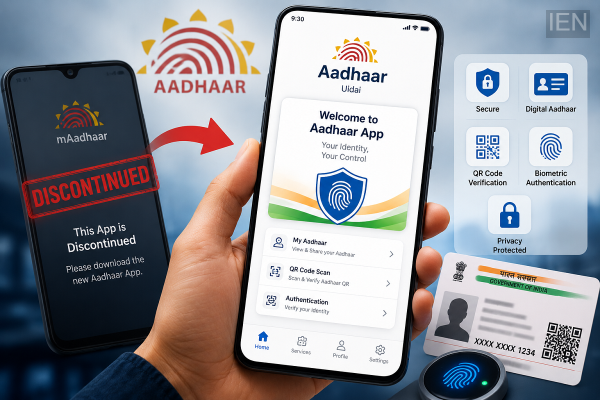
The Unique Identification Authority of India (UIDAI) has officially discontinued the mAadhaar mobile application, asking users to switch to the newly launched Aadhaar app for continued access to digital Aadhaar services. According to the latest advisory, the older app stopped functioning from June 30, and users opening it are now greeted with a message stating that the application has been discontinued.
The move is part of UIDAI's efforts to provide a more secure, modern, and user-friendly digital identity platform. Users are advised to uninstall the old application and install the new Aadhaar app to continue accessing Aadhaar-related services on their smartphones.
Why Has the mAadhaar App Been Discontinued?
UIDAI has announced that the existing mAadhaar app is no longer supported. The authority has introduced a redesigned Aadhaar application with improved security features, an updated interface, and better functionality.
Anyone attempting to open the old app will see a notification informing them that the service has been discontinued and directing them to use the new Aadhaar application instead.
How to Download the New Aadhaar App
Installing the new Aadhaar app is a simple process.
Follow these steps:
-
Open the Google Play Store on Android or the Apple App Store on iPhone.
-
Search for the official Aadhaar App published by UIDAI.
-
Verify that the developer is the Unique Identification Authority of India before downloading.
-
Tap Install and wait for the application to download.
-
Open the app once the installation is complete.
Downloading the official application from authorized app stores helps ensure the security of your Aadhaar information.
How to Set Up the New Aadhaar App
After installing the application, complete the setup by following these steps:
Step 1: Register Your Mobile Number
Launch the app and enter the mobile number linked with your Aadhaar. You will receive a One-Time Password (OTP) for verification.
Step 2: Verify Using OTP
Enter the OTP received on your registered mobile number to complete the authentication process.
Step 3: Add Your Aadhaar Profile
After successful verification, enter your Aadhaar number or use the available options provided within the app to add your Aadhaar profile securely.
Step 4: Enable Security Features
The new Aadhaar app allows users to secure access using features such as device authentication, PIN, fingerprint, or facial recognition, depending on the smartphone and operating system.
Step 5: Start Using Aadhaar Services
Once the setup is complete, users can access various Aadhaar-related services directly from the application.
Services Available Through the New Aadhaar App
The updated Aadhaar application offers several digital services, including:
-
Secure digital Aadhaar access
-
Aadhaar profile management
-
QR code verification
-
Identity authentication
-
Profile sharing where applicable
-
Access to Aadhaar-related information and services
-
Improved security and privacy controls
UIDAI may continue expanding the app's features through future updates.
Important Tips Before Installing
Before switching to the new application, users should keep a few points in mind:
-
Download only the official Aadhaar app published by UIDAI.
-
Avoid downloading similar-looking apps from unknown developers.
-
Ensure that your Aadhaar-linked mobile number is active for OTP verification.
-
Keep the application updated to receive the latest security improvements.
Why the Upgrade Matters
The transition from mAadhaar to the new Aadhaar app is intended to improve digital identity management while enhancing user security. With updated authentication methods, a refreshed interface, and support for modern smartphone capabilities, the new application aims to provide a smoother and safer experience for Aadhaar holders.
As the old mAadhaar app has now been retired, users who rely on digital Aadhaar services should install the new application as soon as possible to avoid any disruption in accessing Aadhaar-related features.
-
Blazer, corset and a dash of style, Kareena Kapoor’s latest look goes viral, become a style icon by recreating it like this

-
What happens if you eat fennel sugar candy after eating?

-
These frequent habits in the body can be signs of cancer, be alert in time or else… experts have given an alert

-
WhatsApp will soon let users connect without revealing phone numbers

-
Big update for WhatsApp users! Username Reservation service started, know how to book