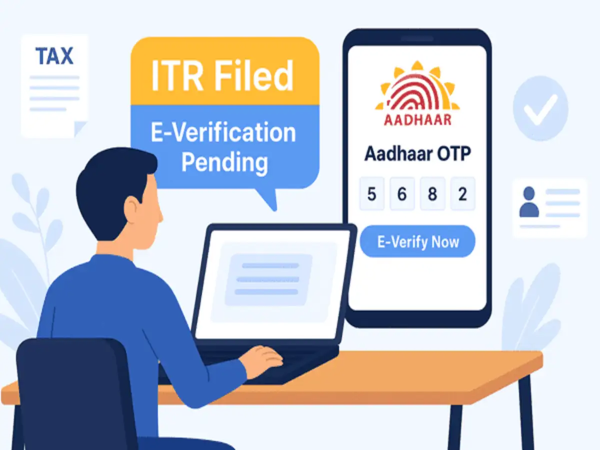
ITR e-Verification: If you have filed your Income Tax Return (ITR), there is still one crucial step remaining. Merely filing the ITR is not enough; it is also mandatory to e-verify it within 30 days. The Income Tax Department considers your return valid and begins processing it only after e-verification. The good news is that this can be completed from the comfort of your home using various methods, such as Aadhaar OTP, Net Banking, EVC, and Digital Signature.
What is e-Verification?
e-Verification is a digital process used to authenticate the ITR after it has been filed. It eliminates the need to send physical documents, allowing the entire process to be completed online. e-Verification must be done within 30 days of the ITR filing date. If this is not done within the stipulated timeframe, the Income Tax Department may deem your return invalid.
However, even if the 30-day deadline has passed, e-verification can still be performed by applying for 'Condonation of Delay.' This will only be valid, however, if the Income Tax Department accepts the reason for the delay.
What are the options for e-Verification?
The Income Tax Department provides six options for ITR e-Verification:
Aadhaar OTP
Net Banking
EVC via a pre-validated bank account
EVC via a pre-validated Demat account
Digital Signature Certificate (DSC)
EVC generated via a bank ATM
What is required before e-Verification?
Make a few necessary preparations before starting the e-verification process:
Linking of PAN with Aadhaar (if using Aadhaar OTP)
Login ID and password for the Income Tax e-Filing portal
Acknowledgement Number (if verifying without logging in)
Pre-validated bank or Demat account (for EVC)
Active Net Banking facility
Valid Digital Signature Certificate and emSigner utility (if using DSC)
How to e-Verify using Aadhaar OTP?
First, log in to the Income Tax e-Filing portal. After submitting your ITR, select the 'e-Verify Return' option. Next, click on 'Verify through Aadhaar OTP'. Confirm your Aadhaar details to generate the OTP. Enter the six-digit OTP received on your Aadhaar-linked mobile number and click 'Validate'. A success message along with a Transaction ID will appear on the screen, and the details will also be sent to your mobile number and email.
How to e-Verify using Net Banking?
Select 'Net Banking' from the verification options. Choose your bank and log in using your net banking credentials. Navigate from the bank's portal to the Income Tax e-Filing Portal. Select 'Pending Return' and click on 'e-Verify'.
How to e-Verify using Bank Account EVC?
If your bank account is pre-validated and EVC-enabled, select the 'Bank Account EVC' option. Generate the EVC, enter the code received on your mobile number or email, and complete the e-Verification.
Demat Account EVC Method
If your Demat account is pre-validated and EVC-enabled, select 'Demat Account EVC'. Generate the EVC, enter the received code, and submit it.
How to verify using a Digital Signature Certificate (DSC)?
Select 'Digital Signature Certificate (DSC)' from the verification options. Install and run the emSigner utility if required. Then, connect the DSC USB token to your system, select the certificate, enter the password, and click 'Sign'.
You can also e-Verify via ATM.
Visit an ATM of a supported bank. Insert your debit card and enter your PIN. Select the 'Generate EVC for Income Tax Filing' option. The EVC will be sent to your registered mobile number and email. Then, log in to the Income Tax e-Filing Portal, select 'Existing EVC', enter the code, and complete the e-Verification.
Can another person also e-Verify?
If you have authorised an 'Authorised Signatory' or 'Representative Assessee', they can also e-Verify the ITR on your behalf. For this, the EVC can be generated using Aadhaar OTP, Net Banking, or a pre-validated Bank/Demat account. The OTP or EVC will be sent to the authorized person's registered mobile number or email.
Disclaimer: This content has been sourced and edited from Money Control. While we have made modifications for clarity and presentation, the original content belongs to its respective authors and website. We do not claim ownership of the content.
-
Is The White String In Raw Eggs Safe To Eat?

-
1 July Horoscope: Who will be affected by carelessness, good day to buy house or land, who will get a new job?

-
OnePlus Nord Buds 4 Sale Live: Open sale starts in India, these powerful earbuds with 52dB ANC are available for just ₹ 3,099 in launch offer.

-
‘Selfie’ in the age of social media: Is a hobby dangerous for mental health?

-
Reshma Kevat created history by overcoming 90% disability, was honored in Raipur by scoring 89.75% marks in 12th.