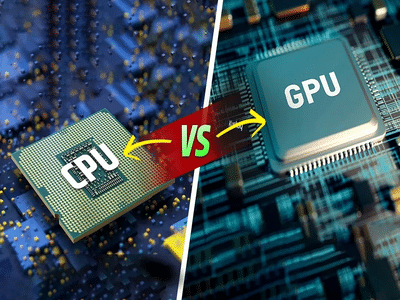
If you're planning to buy a new laptop, desktop computer, or even a high-performance smartphone, you've probably come across terms like CPU and GPU. While both are critical components that determine how well a device performs, they serve very different purposes.
Understanding the difference between a Central Processing Unit (CPU) and a Graphics Processing Unit (GPU) can help you choose the right device based on your needs, whether you're a casual user, a gamer, a content creator, or someone working with artificial intelligence applications.
Here's a closer look at how these two powerful pieces of hardware work and why both matter in modern computing.
Why Is the CPU Called the Brain of a Computer?The CPU, or Central Processing Unit, is often referred to as the "brain" of a computer because it handles the majority of instructions required to run a device.
Every action you perform—opening an application, browsing the internet, editing documents, or launching software—depends on the CPU processing commands and coordinating system operations.
Key Functions of a CPUA CPU is responsible for:
- Running the operating system
- Launching and managing applications
- Processing user inputs
- Handling file operations
- Performing calculations
- Managing multitasking activities
- Coordinating communication between hardware components
Modern CPUs typically feature a smaller number of highly powerful cores designed to execute a wide variety of tasks quickly and efficiently.
Whether you're attending online meetings, working on spreadsheets, checking emails, or browsing websites, the CPU is the component doing most of the heavy lifting behind the scenes.
What Makes a GPU Different?The GPU, or Graphics Processing Unit, is designed for a different purpose. Instead of focusing on a broad range of tasks, it specializes in processing large amounts of data simultaneously.
Originally developed for rendering graphics and visual effects, GPUs have evolved into powerful computing engines capable of accelerating complex workloads beyond gaming.
Main Functions of a GPUA GPU is commonly used for:
- Rendering graphics and visual effects
- Running modern video games
- Processing 3D models
- Video editing and animation
- Artificial intelligence applications
- Machine learning tasks
- Scientific simulations
- High-resolution image and video processing
Unlike CPUs, GPUs contain hundreds or even thousands of smaller cores that can perform many calculations at the same time. This parallel processing capability makes them exceptionally efficient for graphics-intensive and data-heavy workloads.
CPU vs GPU: The Biggest DifferenceAlthough both components process information, they do so in fundamentally different ways.
CPU Characteristics- Fewer but more powerful cores
- Designed for versatility
- Handles multiple types of tasks efficiently
- Ideal for general computing and multitasking
- Optimized for sequential processing
- Hundreds or thousands of smaller cores
- Built for parallel processing
- Excels at repetitive calculations
- Optimized for graphics and visual workloads
- Handles large datasets more efficiently
A simple analogy can make the distinction easier to understand:
Think of a CPU as a highly skilled manager capable of handling many different responsibilities. A GPU, on the other hand, is like a massive team of workers performing the same task simultaneously at incredible speed.
Why Powerful GPUs Matter More Than EverA few years ago, GPUs were mainly associated with gaming. Today, their importance extends far beyond entertainment.
Demand for high-performance GPUs has surged because they are essential for:
GamingModern AAA games require advanced graphics rendering and real-time visual effects that depend heavily on GPU performance.
Video EditingEditing and exporting 4K or 8K videos becomes significantly faster with a dedicated GPU.
3D Design and AnimationArchitects, engineers, and designers rely on GPUs to create and render complex visual models.
Artificial IntelligenceAI applications and machine learning models require enormous computational power, making GPUs a crucial component for training and running algorithms.
Content CreationGraphic designers, filmmakers, and digital artists benefit from faster rendering speeds and smoother workflows.
A weak GPU can result in lagging gameplay, slower rendering times, and reduced performance in professional creative applications.
Do You Need Both a CPU and a GPU?The answer depends entirely on how you plan to use your device.
For Everyday UsersAn average user who primarily performs:
- Web browsing
- Office work
- Online classes
- Video streaming
- Email communication
can usually rely on a strong CPU and integrated graphics without requiring a dedicated GPU.
For Power UsersA dedicated GPU becomes important if you regularly engage in:
- PC gaming
- Video editing
- Graphic design
- 3D rendering
- Animation
- AI development
- Machine learning projects
In these cases, the GPU can dramatically improve performance and reduce processing times.
Which Should You Prioritize When Buying a Laptop or PC?For most users, a balanced combination of CPU and GPU offers the best experience. If your workload is primarily productivity-focused, investing in a powerful CPU makes sense. However, if your tasks involve graphics, gaming, content creation, or AI applications, a capable GPU should be a top priority.
As technology continues to evolve, both CPUs and GPUs play increasingly important roles in delivering faster, smarter, and more efficient computing experiences. Understanding the strengths of each component can help you make a more informed purchasing decision and ensure your next device meets your performance expectations.
-
Body will get cooling and energy in summer! Make Nutritious Jaggery-Makhana Lassi in an instant, note down the recipe

-
Hair Growth Tips: This is how women of old times kept their hair thick and beautiful, you should also know

-
In Gorakhpur, minor murdered blood relatives, killed elder brother, sister-in-law and nephew

-
Upcoming Smartphone: Nothing will explode again? Phone 4b will come to India after Phone 4a? Design leaks

-
Money will be deducted from the bank without your knowledge, turn off ‘Auto-Pay’ like this? The process is very easy