
The ongoing discussion around Telegram following recent regulatory action in India has renewed interest in how the platform compares with WhatsApp. Both applications rank among the world's most popular messaging services, yet they are designed with different priorities in mind.
While WhatsApp is widely recognized for its simplicity and strong default privacy protections, Telegram has built its reputation around cloud-based communication, large communities, and advanced customization options.
For users trying to decide between the two platforms, understanding their differences in security, storage, file sharing, and overall functionality can help determine which app best suits their needs.
Privacy and Security: A Key Difference
One of the biggest distinctions between the two messaging services lies in how they handle message encryption.
WhatsApp uses end-to-end encryption by default for personal chats, voice calls, and video calls. This means that only the sender and recipient can access the contents of their conversations. Even WhatsApp itself cannot read these encrypted messages.
Telegram takes a different approach. Standard chats on Telegram are stored in the cloud to enable seamless synchronization across devices. End-to-end encryption is available, but users must activate it through Telegram's "Secret Chat" feature.
As a result, users who prioritize maximum privacy for everyday conversations may find WhatsApp's default security settings more reassuring.
Cloud Storage and Accessibility
Telegram's cloud-based architecture is one of its most significant advantages.
Messages, photos, videos, and documents remain stored on Telegram's servers, allowing users to access their complete chat history from multiple devices without requiring manual backups.
Switching from one phone, tablet, or computer to another is generally seamless because conversations automatically synchronize after login.
WhatsApp, by contrast, primarily stores messages on the user's device. To preserve chat history when changing devices, users typically need to rely on backup services such as Google Drive for Android or iCloud for iPhone.
For users who frequently switch devices or need access to older conversations from anywhere, Telegram offers greater convenience.
File Sharing Capabilities
Both messaging platforms support the transfer of large files, making them suitable for sharing documents, presentations, videos, and other content.
Telegram has long been known for generous file-sharing limits and easy file management. Combined with its cloud storage system, users can maintain large collections of files without worrying about local storage constraints.
WhatsApp has also expanded its file-sharing capabilities over time and now supports large file transfers. However, Telegram's integration of cloud storage and content organization continues to make it particularly attractive for power users and professional communities.
Groups and Broadcasting Features
Telegram stands out when it comes to managing large online communities.
The platform supports massive groups with hundreds of thousands of participants and allows administrators to create public or private channels for broadcasting information to large audiences.
These features have made Telegram especially popular among content creators, educational communities, businesses, and public-interest groups.
WhatsApp offers Communities, group chats, and broadcast capabilities, but its ecosystem is generally focused on smaller, more personal networks. While effective for family communication, workplace collaboration, and close-knit groups, it does not offer the same scale as Telegram.
Multi-Device Experience
Both applications support usage across multiple devices, but their implementation differs.
Telegram's cloud-first model means users can instantly access their messages from any supported device after signing in. No manual transfer process is required.
WhatsApp has improved its multi-device support significantly in recent years, but users may still need backups or chat migration tools when moving between devices.
For users who regularly work across smartphones, tablets, and desktop computers, Telegram often provides a smoother experience.
Customization and Advanced Tools
Telegram offers extensive personalization options that appeal to users seeking more control over their messaging experience.
The platform includes custom themes, chat appearance settings, animated stickers, bots, automation tools, and various advanced features designed for power users.
WhatsApp follows a simpler design philosophy. Its interface is intentionally straightforward and easy to navigate, making it accessible to users of all age groups.
Those who prefer a clean, familiar experience often gravitate toward WhatsApp, while users looking for additional functionality may find Telegram more appealing.
Which App Should You Choose?
The answer depends largely on individual needs.
Users focused on secure everyday communication with family, friends, and colleagues may appreciate WhatsApp's default end-to-end encryption and user-friendly interface.
On the other hand, people who require large groups, public channels, cloud-based storage, multi-device flexibility, and advanced customization tools may find Telegram better suited to their requirements.
Ultimately, both platforms offer unique strengths, and many users choose to use them together for different purposes. WhatsApp excels in private communication, while Telegram provides powerful tools for managing large communities and sharing information at scale.
-
AI settles the World Cup’s most charming player debate once and for all 😍

-
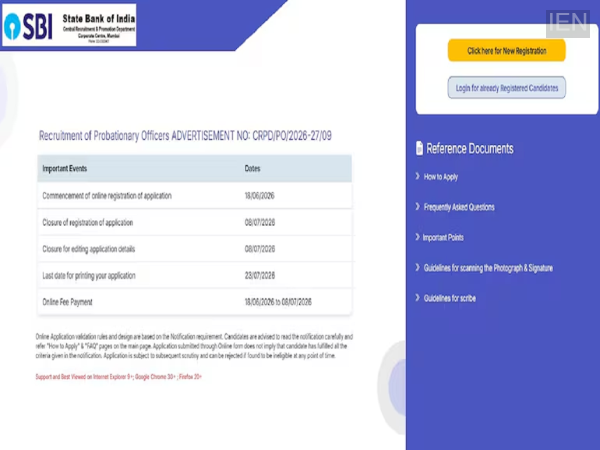
SBI PO Recruitment 2026: Applications Open for 1,500 Probationary Officer Vacancies
-
CBSE Class 10 Second Board Exam Result 2026 Expected Soon; Students Await Official Update

-
NEET UG 2026 Re-Exam: NTA Issues Official Alerts via SMS, Email and WhatsApp to Prevent Fraud

-
Mexico Secure World Cup Knockout Berth with Narrow Victory over South Korea