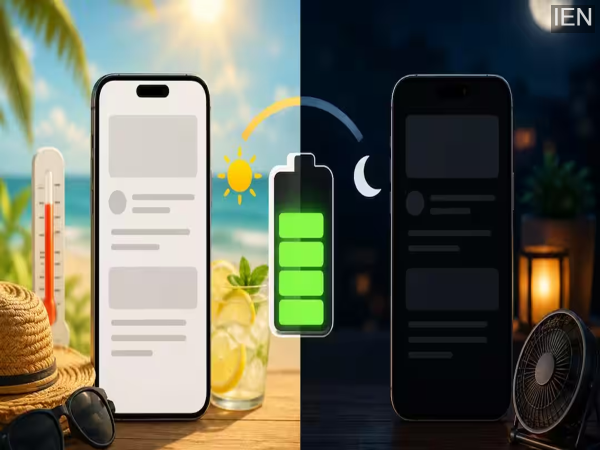
Dark Mode vs. Light Mode: Smartphone users often ask a question during the summer season: does using Dark Mode save more battery, and does it keep the phone cooler? Amidst rising temperatures and rapidly draining batteries, this debate is more relevant than ever. However, the answer depends not just on choosing a dark or light theme, but also on your phone's screen technology and usage habits.
Does Dark Mode really save battery?
If your smartphone has an OLED or AMOLED display, Dark Mode can help save battery to some extent. On such screens, black pixels consume very little or no power. This is why using a dark interface can reduce the screen's energy consumption.
Although many believe that Dark Mode makes a huge difference to battery life, in reality, the impact is often limited. If the screen brightness is kept at a low or medium level, the battery savings may not be very noticeable during everyday use.
How much benefit is there for phones with LCD screens?
Not all smartphones come with OLED screens. For phones with LCD displays, Dark Mode has almost no significant impact on battery life. This is because the backlight on an LCD screen remains on constantly, regardless of whether black or white is displayed on the screen.
Therefore, if your phone has an LCD panel, switching to Dark Mode solely to save battery is unlikely to yield significant benefits.
Summer
Season
How does it affect the battery?
High temperatures can affect battery performance. Activities like gaming, video streaming, GPS navigation, and prolonged outdoor use during summer cause the device to heat up quickly.
In such situations, Dark Mode on phones with OLED screens can consume slightly less energy, potentially leading to a marginal reduction in heat generation. However, experts believe that the impact of phone brightness is far more significant.
Which mode is better for summer?
It depends entirely on how you use your phone. Light Mode offers better visibility and makes reading text easier when outdoors in bright sunlight. Dark Mode can feel relatively more comfortable for the eyes at night or while indoors.
On phones with OLED screens, Dark Mode can also help save some battery power. Therefore, neither mode can be declared the best for every situation.
What can you do to save battery?
If your goal is to extend battery life, consider these tips instead of relying solely on Dark or Light Mode:
Adjust screen brightness according to your needs.
Close unnecessary apps running in the background.
Use Battery Saver mode when needed.
Avoid leaving your phone in direct sunlight for extended periods.
Use Wi-Fi instead of mobile data whenever possible.
Avoid continuous use of heavy apps to prevent overheating.
-
UPSC Prelims Result 2026 Updates: Prelims result declared; 13,343 candidates shortlisted for Mains..

-
No orders, no payments—yet the joy of shopping remains! Find out what 'dopamine sites' are—the trend driving the youth wild..

-
WhatsApp: The message will disappear after being viewed just once! This amazing feature is coming to WhatsApp..
-
PPF Investment: Don't open two PPF accounts—your deposited money could get stuck..
-
Telegram Block: From paper leaks to film piracy, Telegram has become a hub for illegal activities..