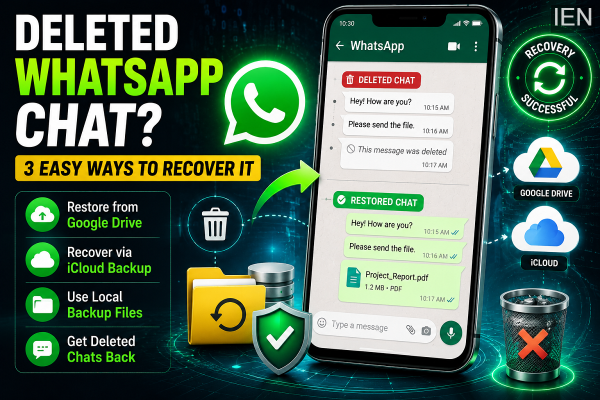
Accidentally deleting an important WhatsApp conversation can be frustrating, especially if it contains valuable personal memories, work-related information, or important documents. Fortunately, losing a chat does not always mean it is gone forever. Depending on your backup settings and device type, there are several ways you may be able to restore deleted WhatsApp messages.
WhatsApp offers built-in backup and recovery options for both Android and iPhone users. Even if cloud backups are unavailable, Android users have additional recovery options through local backups stored on the device. There are also third-party tools that claim to recover deleted chats under certain circumstances.
Here's a detailed guide explaining three common methods that can help you recover deleted WhatsApp conversations.
Method 1: Restore Chats from Google Drive or iCloud Backup
The easiest and most reliable way to recover deleted WhatsApp chats is through a previously created cloud backup.
WhatsApp automatically backs up chat history to Google Drive on Android devices and iCloud on iPhones if the feature is enabled.
How to Restore WhatsApp Chats
-
Uninstall WhatsApp from your smartphone.
-
Download and install the app again from the official app store.
-
Verify your phone number during setup.
-
WhatsApp will detect an available backup.
-
Tap Restore when prompted.
-
Wait for the restoration process to finish.
Once completed, your chats and media included in the backup should reappear.
Important Note
This method only restores messages that existed before the most recent backup was created. Any chats received after the backup date may not be recoverable.
Method 2: Recover Chats Using Local Backup on Android
Android users have an additional recovery option because WhatsApp regularly creates local backup files and stores them on the device.
This method can be useful if cloud backup is unavailable or disabled.
Steps to Restore from Local Backup
-
Open your phone's File Manager app.
-
Navigate to the WhatsApp backup folder:
WhatsApp > Databases -
Locate the most recent backup file.
-
Rename the file from:
msgstore-YYYY-MM-DD.1.db.crypt14
to
msgstore.db.crypt14
-
Uninstall WhatsApp from your device.
-
Reinstall the application.
-
During setup, select Restore when prompted.
WhatsApp will use the renamed local backup file to restore your messages.
Why This Method Works
Local backups are often created daily and stored on the device for a limited period. This can help recover chats even if cloud backup services are disabled.
Method 3: Use Third-Party Recovery Software
If no backup is available, some users turn to third-party recovery applications that claim to retrieve deleted WhatsApp messages directly from device storage.
Popular recovery solutions often include tools designed for Android and iPhone data recovery.
General Recovery Process
-
Install the recovery software on a Windows PC or Mac.
-
Connect your smartphone to the computer using a USB cable.
-
Follow the software instructions.
-
Some Android devices may require USB Debugging to be enabled.
-
Allow the software to scan your device.
-
Review recoverable data and restore available chats.
Use Caution
Before downloading any recovery software:
-
Download only from official websites.
-
Read customer reviews carefully.
-
Check pricing and feature limitations.
-
Understand the privacy implications of granting device access.
Not all recovery tools can successfully restore deleted WhatsApp chats, especially if the deleted data has already been overwritten.
Tips to Avoid Losing Chats in the Future
To reduce the risk of permanent data loss, consider the following precautions:
-
Enable automatic WhatsApp backups.
-
Schedule daily or weekly cloud backups.
-
Ensure sufficient Google Drive or iCloud storage.
-
Export important conversations periodically.
-
Keep your device software updated.
Final Thoughts
Accidentally deleting a WhatsApp conversation can be stressful, but recovery is often possible if backups are available. Cloud backups through Google Drive or iCloud remain the safest recovery method, while Android users can also benefit from local backup files stored on their devices.
Even in situations where no backup exists, specialized recovery tools may provide another opportunity to retrieve lost messages. The key is to act quickly and avoid overwriting device data before attempting recovery.
With the right recovery method and regular backups, you can significantly reduce the chances of permanently losing important WhatsApp conversations.
-
Hyderabad Police arrest two in fake job racket, gold recovered

-
Harish Rao accuses NIMS of not taking care of Khammam rape victim

-
HCU to launch online certificate courses in Malariology and Sanskrit

-
Osmania University refutes claims of anomalies in test grading

-
Video: Siddaramaiah expresses displeasure over Congress MLA