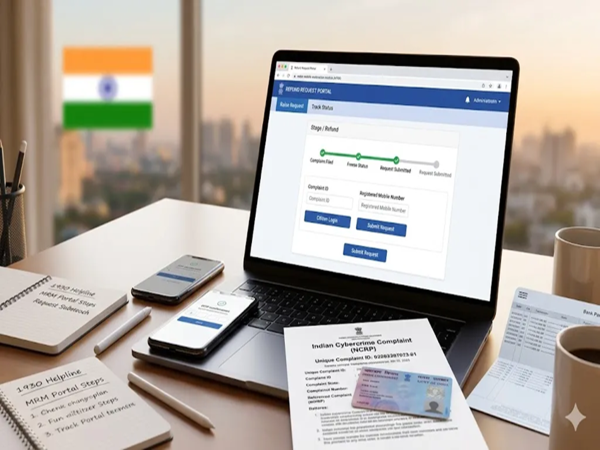
Incidents of cybercrime in the country—such as OTP-based scams and 'digital arrest' frauds—are rising rapidly. To curb this issue, the Union Ministry of Home Affairs has launched a new sub-portal for cybercrime victims, enabling them to request a refund by following a few simple steps. Victims can visit this portal, known as the Mobile Restoration Module (MRM), after lodging a complaint via the helpline number or the government's dedicated portal. However, an official highlighted that the portal can only process a refund if the funds in the fraudster's bank account have already been frozen.
Mobile Restoration Module: What is it and what are its features?
The Ministry of Home Affairs' Indian Cybercrime Coordination Centre (I4C) has launched this new MRM site with the aim of providing cyber fraud victims a convenient way to obtain refunds. Assistant Commissioner of Police (ACP) Ashish Kumar stated that the new MRM portal would eliminate the need for victims to make multiple rounds of government offices and banks to recover their money, as they can now raise refund requests directly from the comfort of their homes.
Introduced as part of the National Cybercrime Reporting Portal (NCRP), this module allows victims to easily submit refund requests. However, the module can only process a refund if the victim reported the cybercrime immediately after the incident—via the 1930 helpline or the NCRP portal—and the funds in the scammer's bank account have been frozen. These are the only two eligibility criteria established for obtaining the refund.
Three distinct categories have been created for applying for refunds through the MRM site, each with its own set of conditions. Under the first category, if the total amount frozen in the scammer's bank account is less than ₹50,000, victims are not required to upload a copy of the FIR or a court order. This money will be refunded directly based on the police complaint. The same rules apply to the second category, where the total frozen amount exceeds ₹50,000 but is distributed across multiple bank accounts, with no single account holding more than ₹50,000.
Finally, there is the third category, where the frozen amount in a single bank account exceeds ₹50,000. In this case, filing an FIR is mandatory before submitting a refund request on the MRM site. Once the request is successfully submitted, a special police team will upload the necessary indemnity bond and notice to the portal. Subsequently, the concerned bank will transfer the funds directly to the victim's bank account.
How to submit a refund request via the Mobile Restoration Module?
Before proceeding, ensure you have your bank account number, a digital copy of your PAN card, the 14-digit Complaint ID, and your registered phone number ready.
First, visit the MRM portal (https://mrm-ncrp.mha.gov.in/public-info).
Tap on the 'Citizen Login' button provided there.
Enter your registered phone number to log in to the portal. (Ensure this is the same mobile number registered on the NCRP portal.)
Log in to the portal by entering the OTP received on your number.
Now, go to the 'Raise Refund Request' section and enter the 14-digit Complaint ID obtained from the NCRP portal. A new screen will open, displaying the frozen amount.
Upload a digital copy of your PAN card. Then, enter the bank account number and the branch IFSC code where you wish to receive the refund.
If you have a copy of a court order, you can upload its digital copy using the 'Select Court Order' option. (If the frozen amount in a bank account exceeds ₹50,000, it is mandatory to file an FIR and obtain a court order.)
Tick the checkbox next to the declaration and click the 'Submit' button.
After this, the MRM portal will generate a Unique Request ID.
Disclaimer: This content has been sourced and edited from Dainik Jagran. While we have made modifications for clarity and presentation, the original content belongs to its respective authors and website. We do not claim ownership of the content.
-
The garden will smile even in the rainy season, it is important to complete these tasks before the onset of monsoon

-
TCS partners with Anthropic, to enable 50,000 employees to use Claude AI
-
Top 10 Things Ousmane Dembélé You Didn’t Know About Him

-
Zee5’s FIFA World Cup pack sparks device-limit confusion as users report temporary change

-
FC Barcelona bid for 2029 Champions League final