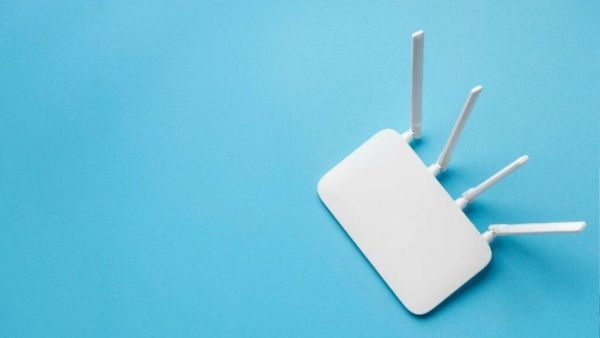
- Security cameras, smart TVs, and smart home hubs can interfere with WiFi signals.
- Devices operating on the 2.4GHz band may experience slower internet speeds.
- Placing the router in the middle of the house and in a high place can provide better signal.
WiFi Internet Speed: Every device in the home is connected to the Internet, from smartphones to smart home gadgets. Internet speed is required to use smartphones, smart TVs, laptops, computers and many other devices. But sometimes the speed of internet connection starts to slow down and it affects the usage and functions of gadgets. Often people also buy expensive WiFi plans for higher internet speed. But internet speed does not always depend on the plan.
HONOR 600 Series Launched! Users excited to see 8000mAh battery and 200MP camera… know the price
WiFi internet speed is affected
Sometimes people misplace the router and some wrong things are placed near the WiFi router, which slows down the WiFi speed. There are many gadgets used in the home, which affects the WiFi internet speed and slows down the internet speed. Now let’s know in detail what things affect WiFi internet speed and what things should be kept away from WiFi. (Photo Courtesy – Pinterest)
Keep these items away from the WiFi router
The WiFi router is operated at 2.4 GHz frequency. Other devices operating on this frequency interfere with the signal, which slows down the internet speed. A security camera installed near a WiFi router may interfere with the signal. Similarly, smart TVs also weaken the signal coming from the router. If your TV is connected to a speaker or soundbar, signal interference may occur. If you’re using a smart home hub, that can also affect WiFi speed. So if possible, keep security cameras, smart TVs, smart home hubs away from the WiFi router.
Routers that use the 2.4 GHz band may experience problems with internet speed. Modern routers offer support for 5 GHz and 6 GHz bands. You can add some devices to these bands if you wish. But if you want to improve internet speed without spending any money, you can keep things like security camera, smart TV, smart home hub away from WiFi router. The longer the object, the less likely it is to interfere with the signal. You can also prevent interference with WiFi internet signals by connecting security cameras by wire. Connecting your Smart TV with an Ethernet cable is an easy way to avoid this hassle. This will not affect your WiFi speed.
Awesome! Now dogs and cats will also chat with people? A strange AI device is the talk of the world… what exactly is the case?
What are the best places to put a router?
Try to keep the WiFi router away from other Bluetooth devices. This will not cause any signal interruption and you will also be offered high speed internet. The router should always be placed centrally, so that the signal reaches all corners of the house easily. Try to place the router higher than furniture and other objects.
-
Health Tips For Women: Women aged 50+ must read this news, otherwise you will regret a lot.

-
Caution in AC service: How to avoid gas scam
-
This is the secret to making our bi-partisan marriage work

-
Shop the new Summer Fridays Bronzer Butter Balm we reviewed

-
Government strict on drinking water crisis in Haryana, leave of Public Health Department cancelled, 4 officers suspended