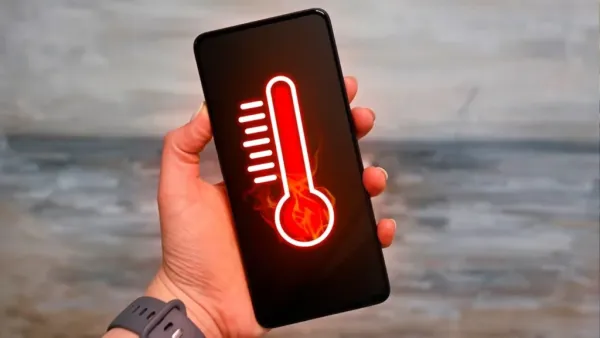
Phone Overheating Tips: At present the temperature in many cities is reaching 40 to 48 degrees Celsius. In such a situation, it is very important to take care of the body as well as electronic items like mobile and laptop.
Ways to prevent phone overheating
Phone Overheating Tips: Summer season is going on and extreme heat is being seen across the country. Nautapa is going to start after two days, due to which the temperature will rise further. At present the temperature in many cities is reaching 40 to 48 degrees Celsius. In such a situation, it is very important to take care of the body as well as electronic items like mobile and laptop. In summer, due to rising temperatures, mobiles and laptops often start overheating, which increases the possibility of them exploding.
This problem increases further when you use the mobile for a long time and also leave it on charging. In such a situation, let us know about some simple measures and easy settings, using which you can protect both your Android and iPhone mobiles from overheating and blasting, and also keep yourself safe.
These could be the reasons for mobile overheating
- Keeping the phone in the sun makes it hot.
- In a closed car the phone starts heating like a furnace.
- Playing more games increases the pressure on the processor.
- Video recording for a long time causes the phone to heat up.
- The phone keeps working continuously due to many apps being open simultaneously.
- In weak signal, the phone gets hot while searching for the network.
- Using the phone during fast charging increases heating.
- A bad charger or cable can cause the phone to overheat.
- The phone has to work harder when the memory is full.
What things to keep in mind?
- Do not use the phone at all when it is charging.
- If the phone gets too hot, immediately remove its heavy or thick back cover.
- Completely close the apps which are not in use from the background.
- It is wise to switch off mobile data when the network is weak.
- Never keep the phone near a fridge or ice to cool it.
- Keep the phone’s storage free so that there is not too much pressure on it.
What to do for Android phone?
- Keep Bluetooth and Wi-Fi scanning off, otherwise the phone keeps searching from behind.
- Immediately turn off location and microphone permissions for apps you don’t need.
- Keep fast charging off in extreme heat, this will reduce the heat of the phone.
- Choose 60Hz refresh rate instead of 120Hz, the load on both battery and processor will reduce.
- Stop the services running in the background, this will make the phone more smooth and cool.
- Always keep apps and systems updated to reduce bugs and heating problems.
Read this also-Is your AC also cooling the room late? These can be 5 major reasons, get them fixed immediately
Do this for iOS phones
- Turn on Low Power Mode: First of all, go to ‘Battery’ in Settings and turn on ‘Low Power Mode’ so that the battery and background apps run less.
- Turn off background app refresh: Under ‘General’ in Settings, turn off ‘Background App Refresh’ completely or keep it only for essential apps.
- Turn off or limit location: Turn off ‘Location Services’ in ‘Privacy & Security’ in Settings or set ‘While Using’ for apps.
- Reduce animations: Go to ‘Motion’ under ‘Accessibility’ in Settings and turn on the ‘Reduce Motion’ button.
-
‘Cross-Border Influence Operation': Rajeev Chandrasekhar Targets Cockroach Janta Party

-
Here's Why India’s Organ Donation System Struggles Despite Willing Donors

-
UP TGT Exam City Slip 2026 Released At upessc.up.gov.in; Admit Card On May 30
-
NEET-UG 2026 Re-Exam: Bihar CM Samrat Choudhary Announces Free Government Bus Travel For Candidates

-
Telangana TS POLYCET Result 2026 Declared At polycet.sbtet.telangana.gov.in; Download Rank Card Here