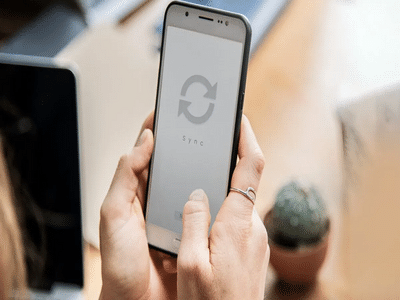
In today’s fast-moving digital world, internet connectivity has transformed almost every aspect of daily life. From online shopping and banking to entertainment and communication, smartphones have become an essential part of modern living. One such technology that is making calling more convenient and reliable is WiFi Calling.
Even though most smartphone users have seen the WiFi Calling option in their phone settings, many people still do not fully understand what it does or how it works. Some users assume it requires a separate app like WhatsApp or Facebook Messenger, while others never activate it at all.
The reality is that WiFi Calling can be extremely useful, especially in areas where mobile network signals are weak or unavailable. It allows users to make and receive calls using an internet connection instead of relying completely on cellular towers.
What Is WiFi Calling?WiFi Calling is a feature that allows your smartphone to make regular voice calls through a WiFi network when mobile signals are poor or unavailable.
Unlike internet calling apps, WiFi Calling does not require users to install any additional application. You can simply enable the feature from your smartphone settings and continue using your regular phone number for calls.
For example, if you are in a basement, a village with weak network coverage, or inside a room where mobile signals are unstable but WiFi is working properly, WiFi Calling can help your calls connect smoothly.
The technology works by routing your voice through the internet to your telecom operator’s servers, which then connect the call to the other person. To users, the experience feels almost identical to a normal cellular call.
How Does WiFi Calling Work?Normally, voice calls are connected through nearby mobile towers. However, when WiFi Calling is enabled, your phone automatically switches the call to a WiFi network whenever mobile signals become weak.
This process happens in the background and usually does not require any manual action from the user.
Here’s how it works:- Your smartphone connects to a stable WiFi network.
- The voice data is transmitted securely through the internet.
- Your telecom provider processes the call through its network servers.
- The call reaches the receiver just like a normal phone call.
One of the best parts is that the person receiving the call does not need WiFi Calling enabled for the feature to work.
What Happens If You Keep WiFi Calling Turned On?Many users wonder whether leaving WiFi Calling enabled all the time is beneficial. In most cases, the answer is yes.
When WiFi Calling remains activated:
- Calls can still connect even if mobile network signals disappear.
- Voice quality often becomes clearer and more stable.
- Call drops may reduce significantly.
- Indoor calling experience improves in apartments, offices, and basements.
- Users in remote areas can continue making calls through home WiFi.
For instance, imagine someone tries to call you when your phone shows almost no signal bars. If your phone is connected to a strong WiFi network and WiFi Calling is enabled, the call may still connect normally.
This makes the feature especially useful for people living in areas with poor mobile network coverage.
Major Benefits of WiFi Calling 1. Better Call QualityWiFi Calling can deliver clearer voice quality compared to weak mobile networks. Conversations usually sound more stable and less distorted.
2. Fewer Call DropsCalls made over stable WiFi connections are less likely to disconnect suddenly, especially in areas with poor signal reception.
3. Improved Indoor ConnectivityLarge buildings, offices, and basements often block mobile signals. WiFi Calling helps maintain connectivity indoors.
4. No Extra App NeededUnlike internet calling services, WiFi Calling works directly through your smartphone’s built-in calling feature.
5. Useful in Rural or Weak Signal AreasPeople living in villages or remote regions with weak cellular coverage can benefit greatly from WiFi-based calling.
Things You Should Keep in MindAlthough WiFi Calling is extremely useful, it works best only when your internet connection is stable and fast.
If the WiFi speed is slow or unstable, call quality may suffer. Users may experience delays, audio cuts, or voice lag during conversations.
Experts also advise caution while using public WiFi networks for calling. Unsecured public internet connections may carry privacy risks if proper security measures are not in place.
Using WiFi Calling on a secure home network is generally considered the safest option.
How to Enable WiFi CallingMost modern Android smartphones and iPhones support WiFi Calling.
To activate it:Some telecom operators may require VoLTE support or specific network compatibility for the feature to function properly.
Why More Smartphone Users Are Turning to WiFi CallingAs internet connectivity improves across India and smartphone usage continues to rise, WiFi Calling is becoming increasingly popular among users looking for uninterrupted communication.
The feature offers a simple yet powerful solution for weak network problems without requiring any extra applications or expensive setup.
For users who frequently struggle with poor signal strength at home, in offices, or during travel, keeping WiFi Calling enabled can significantly improve the overall calling experience.
-
Vaibhav Sooryavanshi creates history, becomes 1st Indian player to

-
Holiday Activity: If children are bored during holidays, then do this fun activity with them; boredom will go away

-
7 best cool destinations that will provide relief from the heat

-
Try these stunning makeup ideas with red dress, you will get a perfect glam look.

-
Birthday Horoscope: How will the coming year be for those born today? Know the complete horoscope of Aries to Pisces