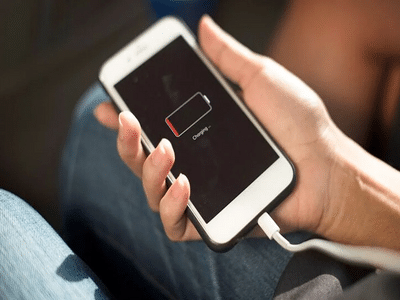
Smartphones have become an inseparable part of modern life. From communication and entertainment to banking and office work, people now depend heavily on their phones throughout the day. However, one common issue that continues to worry users is excessive heating while charging. Many people notice that their phones become extremely hot during charging, sometimes even uncomfortable to hold.
While slight warming during charging is normal, overheating can become dangerous if ignored. In severe cases, excessive heat may damage the battery, reduce phone performance, or even create safety risks. Experts warn that continuous overheating can shorten battery lifespan and affect the device’s internal components over time.
Fortunately, understanding the reasons behind smartphone overheating can help users prevent serious damage and improve device safety.
Why Smartphones Heat Up During ChargingOne of the biggest reasons phones overheat while charging is background app activity. Even when users think apps are closed, many applications continue running silently in the background, consuming processing power and battery energy.
When the processor works heavily during charging, both the CPU and battery generate heat simultaneously. This combined pressure increases the phone’s temperature significantly.
Another major reason is the use of poor-quality or fake chargers. Cheap chargers often fail to regulate electrical current properly, causing unstable power flow that leads to overheating.
Experts also point out that thick designer covers or heavy phone cases can trap heat inside the device. Since the heat cannot escape properly, the smartphone becomes hotter during charging sessions.
Background Apps That May Cause OverheatingCertain apps consume large amounts of system resources even when not actively in use. These apps should be closed before charging your smartphone.
1. Navigation AppsApps like Google Maps continuously connect to GPS satellites and location services in the background. This constant activity generates substantial heat.
2. Gaming ApplicationsHeavy mobile games use the processor, graphics chip, and internet connection aggressively. If left running in the background, they continue draining battery and producing heat.
3. Social Media AppsPlatforms such as Instagram, Facebook, Snapchat, and X often refresh content automatically in the background. Notifications, video loading, and syncing increase processor activity.
4. Automatic App UpdatesGoogle Play Store and App Store auto-updates can suddenly begin downloading and installing updates while charging. This extra processing load can rapidly raise device temperature.
Users are advised to disable automatic updates during charging or switch them to manual mode.
Important Warning Signs You Should Never IgnoreIf your phone shows any of the following symptoms repeatedly during charging, it may indicate overheating issues:
- Rapid battery drain
- Phone becoming extremely hot near the battery area
- Slow charging speed
- Sudden lag or freezing
- Automatic app crashes
- Screen dimming automatically
- Unexpected shutdowns
Ignoring these signs could eventually damage the battery permanently.
Simple Tips to Prevent Phone Overheating Remove the Phone Cover While ChargingTaking off the back cover allows heat to escape more easily and improves airflow around the device.
Use Original Chargers OnlyAlways charge your smartphone using the company-provided original charger and cable. Fake accessories may harm battery health.
Avoid Charging in Hot AreasNever charge your phone under direct sunlight, inside parked vehicles, or on heated surfaces.
Stop Heavy Usage During ChargingPlaying games, watching videos, or making long calls while charging places double pressure on the battery and processor.
Close Background AppsBefore plugging in your phone, force stop unnecessary apps running in the background to reduce processor load.
Keep Software UpdatedPhone manufacturers often release software updates that improve battery management and thermal control.
Why Battery Safety Matters More Than EverModern smartphones use high-capacity lithium-ion batteries that are powerful but sensitive to heat. Continuous overheating can weaken battery cells and increase long-term safety risks.
Tech experts recommend monitoring charging habits carefully and avoiding practices that stress the battery unnecessarily. A few small precautions can help improve battery life, maintain phone performance, and reduce overheating problems significantly.
As smartphones continue becoming more advanced and powerful, managing device temperature properly has become essential for both safety and performance.
-
Vaibhav Sooryavanshi creates history, becomes 1st Indian player to

-
Holiday Activity: If children are bored during holidays, then do this fun activity with them; boredom will go away

-
7 best cool destinations that will provide relief from the heat

-
Try these stunning makeup ideas with red dress, you will get a perfect glam look.

-
Birthday Horoscope: How will the coming year be for those born today? Know the complete horoscope of Aries to Pisces