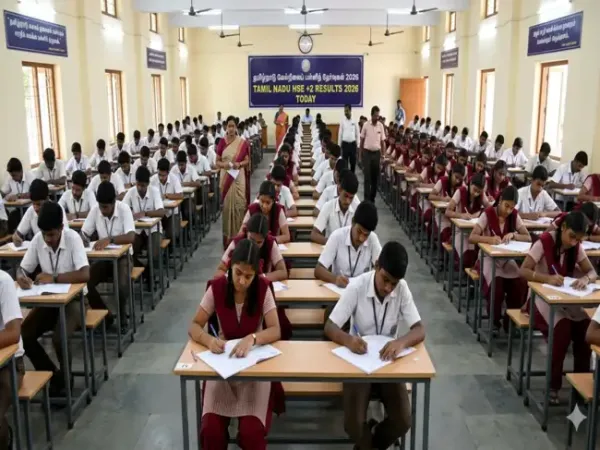
The results of Tamil Nadu Higher Secondary Education (HSE) Plus Two Class 12 results have been released today, Friday. The results were declared on May 8 at 9.30 am. The Directorate of Government Examination, Tamil Nadu (TNDGE) +2 results can be checked on official websites tnresults.nic.in and dge.tn.gov.in. The Board will also release the marks memo on DigiLocker. TN Plus Two exams 2026 were conducted from March 2 to March 26, 2026, and more than 8 lakh students appeared for it.
ALSO READ: West Bengal Madhyamik 10th result 2026 direct link
Go to the official websites such as tnresults.nic.in or dge.tn.gov.in
You may also visit backup portals like dge1.tn.nic.in or dge2.tn.nic.in may also be used if needed.
Click on the link "HSC (+2) Result 2026" on the homepage
Enter your registration number and date of birth in the required format.
Submit the details to view your result on the screen.
Download and save the provisional marksheet for future academic use.
They would be asked to select the department and examination category before entering their registration number and date of birth. They will receive their results on their phones.
Open the DigiLocker app or visit DigiLocker official website
Sign in using your registered mobile number and OTP. New users must create an account first
After logging in, go to the “Issued Documents” or “Education” section.
Select the Tamil Nadu Directorate of Government Examinations option.
Click on “Class XII Marksheet” or “HSE +2 Result 2026”.
Enter the required details such as registration number and date of birth.
Submit the details to access the digital marksheet.
Students can then download, save, or print the marksheet for future use.
ALSO READ: West Bengal Madhyamik 10th result 2026 direct link
How to check TN Board results 2026 online?
Students can access and download their marksheet by logging into the official website of the boards such as tnresults.nic.in. Just follow these steps:Go to the official websites such as tnresults.nic.in or dge.tn.gov.in
You may also visit backup portals like dge1.tn.nic.in or dge2.tn.nic.in may also be used if needed.
Click on the link "HSC (+2) Result 2026" on the homepage
Enter your registration number and date of birth in the required format.
Submit the details to view your result on the screen.
Download and save the provisional marksheet for future academic use.
How to check Tamil Nadu HSE results on WhatsApp?
In a first, students can now check their results through WhatsApp with the help of Tamil Nadu e-Governance Agency. Students have to save the number 7845252525 in their phone contacts and send a "Hi" message.They would be asked to select the department and examination category before entering their registration number and date of birth. They will receive their results on their phones.
Checking TN +2 results on DigiLocker
Students can check and download their Tamil Nadu Class 12 (+2) Result 2026 through DigiLocker:Open the DigiLocker app or visit DigiLocker official website
Sign in using your registered mobile number and OTP. New users must create an account first
After logging in, go to the “Issued Documents” or “Education” section.
Select the Tamil Nadu Directorate of Government Examinations option.
Click on “Class XII Marksheet” or “HSE +2 Result 2026”.
Enter the required details such as registration number and date of birth.
Submit the details to access the digital marksheet.
Students can then download, save, or print the marksheet for future use.