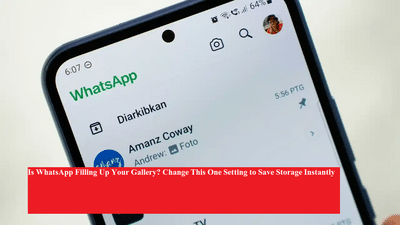
Do you often get the “Phone Storage Running Out” alert on your mobile? If yes, WhatsApp might be one of the main culprits. With auto-download enabled, your phone gets cluttered with media files—photos, videos, and documents—that not only eat up space but also slow down your phone.
But here’s the good news: You can fix this issue in just a few taps. Let’s show you how to stop WhatsApp from crowding your gallery and keep your phone running smoother.
📂 Why Your Storage Is Getting FullWhatsApp automatically saves every photo and video you receive directly to your phone’s gallery. While that might seem convenient, over time it results in tons of unwanted files, especially if you're part of many active groups.
🛠️ How to Turn Off Auto-Download and Save SpaceYou can change a simple setting in WhatsApp to stop media from being saved in your gallery.
✅ For Android Users:Open WhatsApp.
Tap the three dots in the top-right corner.
Go to Settings > Chats.
Turn Media Visibility Off.
Go to Settings > Chats.
Toggle Save to Photos Off.
Open the group or contact chat.
Tap their name at the top.
Find and toggle off Media Visibility.
✅ Why This Trick WorksNote: This only applies to new media files. Previously downloaded photos/videos will remain in your gallery.
-
Saves phone storage instantly.
-
Keeps your gallery clean and organized.
-
Improves performance of your device.
-
No more annoying “Storage Full” alerts.
-
Trump holds off strikes on Iran planned for Tuesday at Arab leaders' request

-
Understanding Petrol Pump Fraud: How to Protect Yourself

-
Indian Railways Launches Recruitment for 6,565 Technician Positions in 2026

-
Tom Kane dead: Star Wars legend dies in hospital as heartbreaking tributes pour in

-
Andy Burnham torn to shreds on GB News in humiliating four word put down live on air