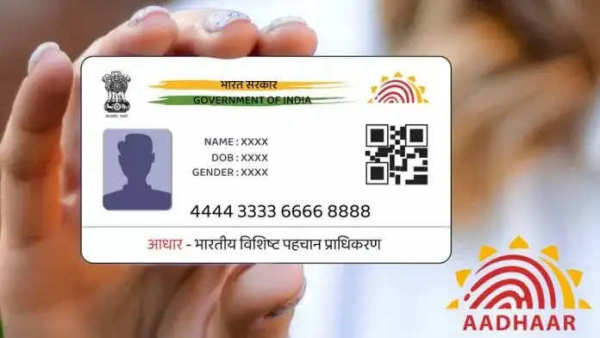
Updating the mobile number linked to your Aadhaar card is essential for receiving OTPs and accessing various Aadhaar-related services. However, this process is not entirely online—you must visit an Aadhaar Seva Kendra to complete the update. Here’s a step-by-step guide on how to update your mobile number both online (appointment booking) and offline.
Why Update Your Mobile Number in Aadhaar?Many people, like Mukesh, got their Aadhaar cards issued when they were young, and at that time, their family’s phone number was used. Now, Mukesh wants to link his own number to his Aadhaar card for convenience. If you’re facing a similar issue, follow these steps to update your mobile number.
Offline Process to Update Aadhaar Mobile NumberVisit the Nearest Aadhaar Center:
- Find the nearest Aadhaar Seva Kendra by visiting the .
Fill Out the Aadhaar Update Form:
- At the center, request an Aadhaar Update/Correction Form and enter your new mobile number.
Submit Required Documents:
- Provide your Aadhaar card along with a valid identity proof (Voter ID, Passport, etc.).
Biometric Verification:
- Your fingerprint and iris scan will be taken for authentication.
Pay the Processing Fee:
- A small fee is required for updating the mobile number. After payment, you’ll receive a receipt confirming the update.
Although the mobile number update process is not fully online, you can book an appointment in advance to save time at the Aadhaar center.
Visit the UIDAI Portal:
- Go to .
Book an Appointment:
- Click on "Book an Appointment" on the homepage.
- Select your city/area and click "Proceed to Book Appointment".
Enter Details & Generate OTP:
- Provide your mobile number and captcha code, then click "Generate OTP".
Fill in Personal Information:
- Enter required personal details and select "Mobile Number Update".
Choose Date & Time for Appointment:
- Pick a convenient date for your visit.
Receive and Print Appointment Receipt:
- You’ll get a confirmation receipt, which you must present at the Aadhaar center on the scheduled date.
- Your new mobile number will be updated within 10–15 days.
- To check the update status, visit the UIDAI website and enter your URN (Update Request Number).
By following these simple steps, you can easily update your Aadhaar mobile number and ensure seamless access to Aadhaar-based services.
-
Gold & Silver Prices Slip: Experts Explain What’s Weighing on Bullion Markets

-
8th Pay Commission: Teachers Demand ₹1.34 Lakh Basic Pay, Major Salary Overhaul Proposed

-
Stock Market Outlook: Sensex Surges 639 Points, Nifty Crosses 24,000—What to Expect on April 28

-
Bank Holiday May 2026: Banks to Remain Closed for 12 Days—Check State-Wise Holiday List

-
Sukanya Samriddhi Yojana 2026: Has the Interest Rate Increased? Check Latest Rate and Benefits