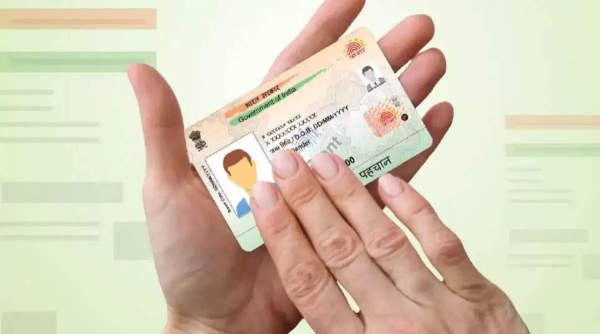
Various documents like Aadhaar cards, PAN cards, ration cards, etc. are very important for Indians and are used for various government and non-government works. In such a situation, if we talk about Aadhaar card, then it is a necessary document for opening an account in a bank, getting a SIM card, and getting admission in school and college, given its importance, it is important to ensure that your Aadhaar card is up-to-date and accurate, if you want to update the photo in Aadhaar card, then let's know its easy process-
Visit Aadhaar Enrollment Center: To change the photo on your Aadhaar card, the first step is to visit the nearest Aadhaar enrollment center. You can find these centers online or through the official UIDAI website.
Fill out the update form: After reaching the enrollment center, you have to fill the Aadhaar update form. Make sure that all the details are entered correctly so that there is no mistake.
Submit the form: After filling the form, submit it to the agent at the center. They will verify the information you have provided.
Provide your biometrics: You will then be asked to provide your biometric details (fingerprints and iris scan). These are important to verify your identity.
Get URN number: After completing the biometric verification, you will receive a slip containing the URN (Update Request Number). This number allows you to track the status of your Aadhaar update.
Wait for update: After the process is complete, the photo on your Aadhaar card will be updated within a few days. You can check the status of your update using the URN number provided.
Disclaimer: This content has been sourced and edited from [Samachar Nama]. While we have made modifications for clarity and presentation, the original content belongs to its respective authors and website. We do not claim ownership of the content.
-
Numerology Number 6 Prediction Today, April 29, 2026: Stay focused on goals and seize career opportunities

-
Numerology Number 9 Prediction Today, April 29, 2026: Stay Focused on Your Goals and Uphold Your Reputation

-
Numerology Number 8 Prediction Today, April 29, 2026: Will Think of Taking Advantage of Opportunities, Will Organise Routine

-
Numerology Number 7 Prediction Today, April 29, 2026: Will Care for Loved Ones' Happiness, Will Receive Gifts and Presents

-
Trump says King Charles agrees Iran cannot obtain nuclear bomb