As we all know how important Aadhaar card is important for the Indian population, It is used for opening a bank account, SIM card, college and school admission, and many other government and non-government works, but in today's digital world, many frauds related to Aadhaar card have started happening, sometimes emptying entire bank accounts in a single transaction. If you want to avoid this fraud, then lock your Aadhaar card, let's know its process-
Steps to lock your Aadhaar card
Visit the UIDAI website- Visit the official website of Aadhaar (UIDAI).
Log in choose the language in your account and choose your preferred language for navigation.
Access the Lock/Unlock Biometric option- Scroll down the homepage and click on the “Lock/Unlock Biometric” option. This will redirect you to the Lock/Unlock Aadhaar section.
Enter Aadhaar details -Provide your Aadhaar number and any additional required information. An OTP (one-time password) will be sent to your registered mobile number.
Complete the process -Enter the OTP to confirm and lock your Aadhaar card. Once locked, your biometric data will become inaccessible, making it far more secure against unauthorized access.
Unlocking your Aadhaar card
If you ever need to use your Aadhaar card, you can unlock it by following the process mentioned above. Simply select the “Unlock” option instead of “Lock” and your Aadhaar card will be temporarily unlocked for use.
-
IPL 2026: Vaibhav Sooryavanshi back on top, overtakes Abhishek Sharma in Orange Cap race

-
EPFO to Launch New Portal ‘E-PRAAPTI’: Find and Reactivate Old PF Accounts in Minutes

-
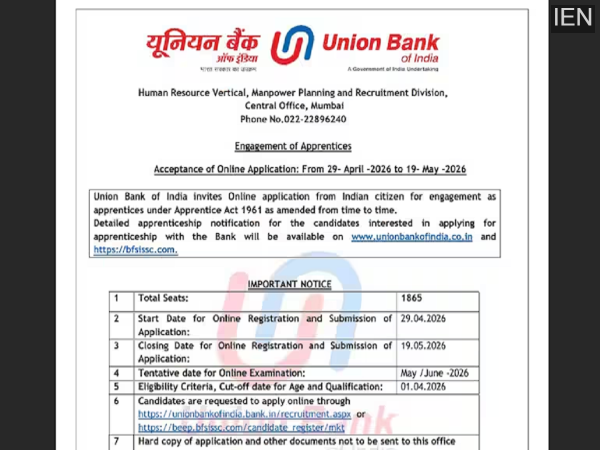
Union Bank Recruitment 2026: Apply for 1,865 Apprentice Posts Before May 19—Eligibility, Stipend & Process
-
CBSE Class 12 Result 2026 Update: Not Releasing Tomorrow, Board Confirms Mid-May Timeline

-
Sportvot X FPJ: RCA Beat CCI A By 5 Wickets In Cricket Club Of India Practice Match In Mumbai