
Today Aadhaar card has become a very important document for Indian people, which is used for important tasks like opening a bank account, getting a SIM card, taking admission to college and school, etc. Without it, it can be challenging to avail of these services. In such a situation, if your Aadhaar card is lost, then you can be in trouble, but do not panic, the Unique Identification Authority of India (UIDAI) provides simple ways to get it online or offline, let's know its complete details.
Options to retrieve your Aadhaar
Aadhaar number
Enrollment ID
Aadhaar Virtual ID
Registered mobile number or email
If you want a new Aadhaar card, then you can choose either e-Aadhaar or PVC Aadhaar card. Here is how you can easily get your e-Aadhaar:
How to download your e-Aadhaar
1. Through the UIDAI website:
Visit UIDAI website: myaadhaar.uidai.gov.in.
Click on 'Download Aadhaar'.
Enter your Aadhaar number and the displayed captcha.
A 4-digit OTP will be sent to your registered mobile number.
Enter this OTP and click on 'Submit'.
Your e-Aadhaar will be downloaded in PDF format.
Make sure to save it for future reference.
2. Using the mAadhaar app:
Download the mAadhaar app from the Google Play Store or Apple App Store.
Open the app and sign in using your Aadhaar number and biometric verification. Go to 'My Aadhaar'.
Click on 'e-Aadhaar' under the 'Download Aadhaar' section.
Enter the 4-digit OTP sent to your registered mobile number and click on 'Submit'.
Your e-Aadhaar will be downloaded in PDF format. Remember to save the file.
-
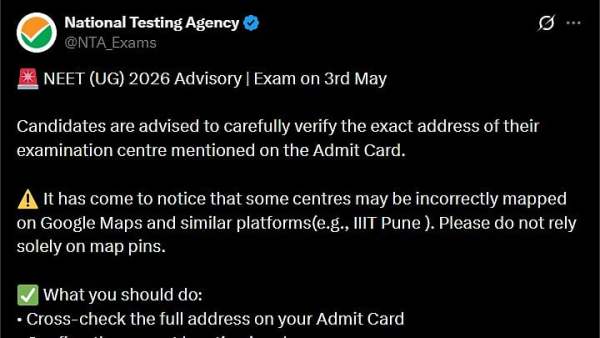
NEET UG 2026 Advisory Issued Ahead Of May 3 Exam; Candidates Warned Against Relying On Google Maps For Centre Location
-
Why May 1 Is Celebrated As Labour Day Across The World?

-
Sagittarius Tarot Horoscope Today, May 2, 2026: Stay humble, possible overseas travel ahead

-
Capricorn Tarot Horoscope Today, May 2, 2026: You May Make a Major Decision with Renewed Confidence

-
Love Horoscope for Saturday, May 2, 2026: Aries Natives to Hear Good News, Check What’s in Store for Your Sign