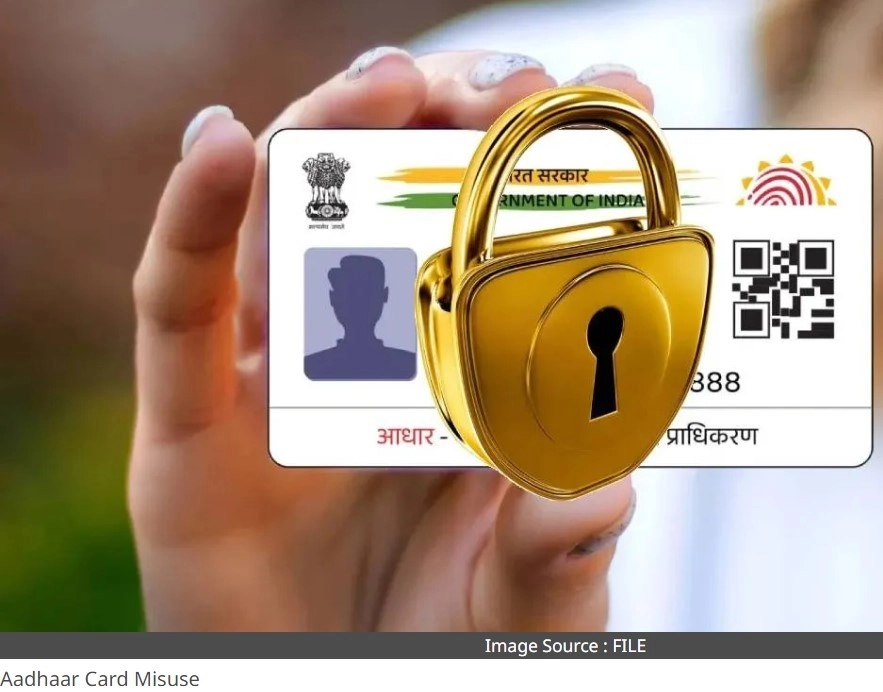
Aadhaar Card is an important document for us. Its misuse can lead to huge losses. Aadhaar Card can be misused not only in hotels but also in many other places. In such a situation, you should keep some things in mind.
Many cases of misuse of Aadhaar Card have come to light in the recent past. It is not just an ID but has become our necessity. You need Aadhaar Card for everything from opening a bank account to buying a new SIM card. You may have to bear huge losses due to its misuse.
Whether it is to book a room in a hotel or to book a train or flight ticket, we need an Aadhaar card. At these places, we freely share our Aadhaar card and do not think about its misuse. However, this mistake can prove to be very costly. Money can be withdrawn from your bank account by stealing the Aadhaar card information.
There have been many cases in which hackers have stolen Aadhaar card information and duped people of lakhs of rupees. If you don't want this to happen to you, you should keep some things in mind. Don't share your Aadhaar card anywhere. If it is necessary, you can use a masked Aadhaar card. Your Aadhaar number is not shared in this.
Apart from this, you can lock the biometric of your Aadhaar card. By doing this, your Aadhaar card cannot be misused. Due to biometric lock, KYC verification will not be completed and your identity can remain safe.
This is how you can lock your Aadhaar card
For this, you will first have to visit the UIDAI website (https://uidai.gov.in/).
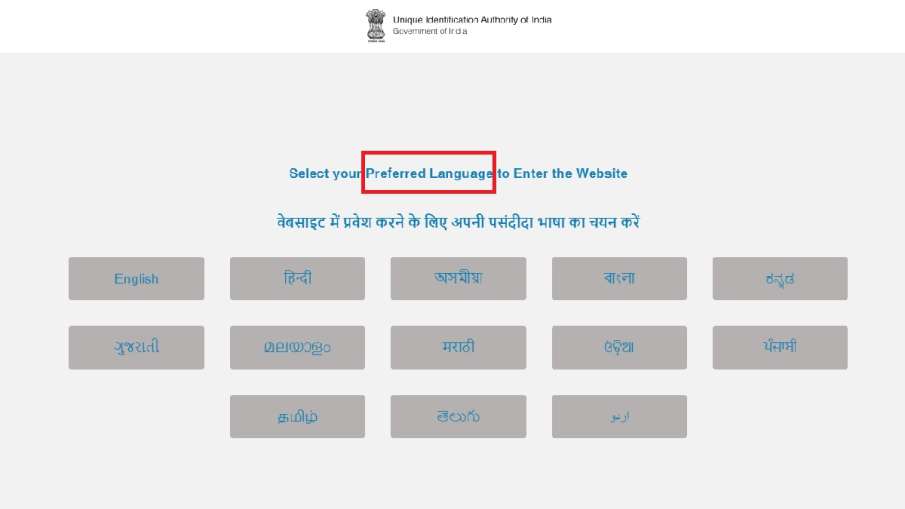
By going here, select the language of your choice and go to the next page.
Then the home page of the UIDAI website will open. There, on scrolling down, you will find the option of Aadhaar Services.
Here you will see Lock/Unlock Biometrics at the bottom.
Tap on it and go to the next page.
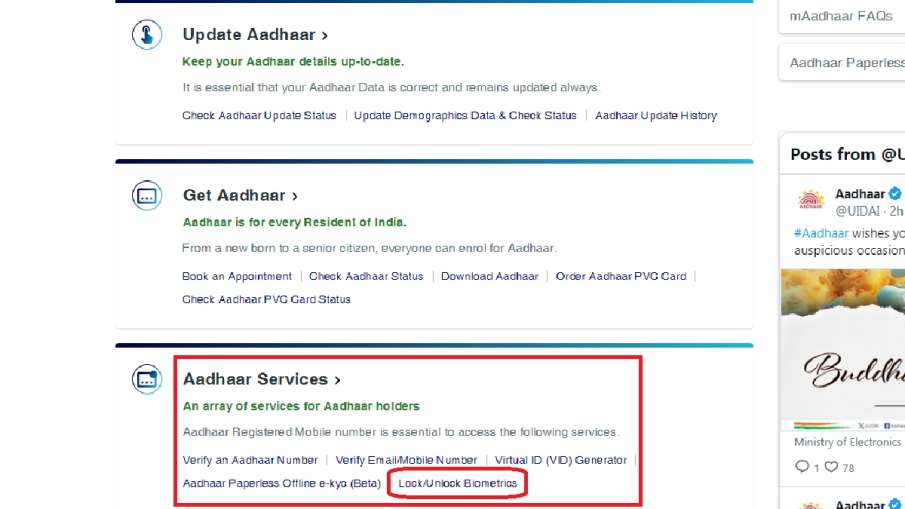
Here you will get the steps to lock Aadhaar card.
Before you proceed to the next step you need to generate the Virtual ID number of your Aadhaar card.
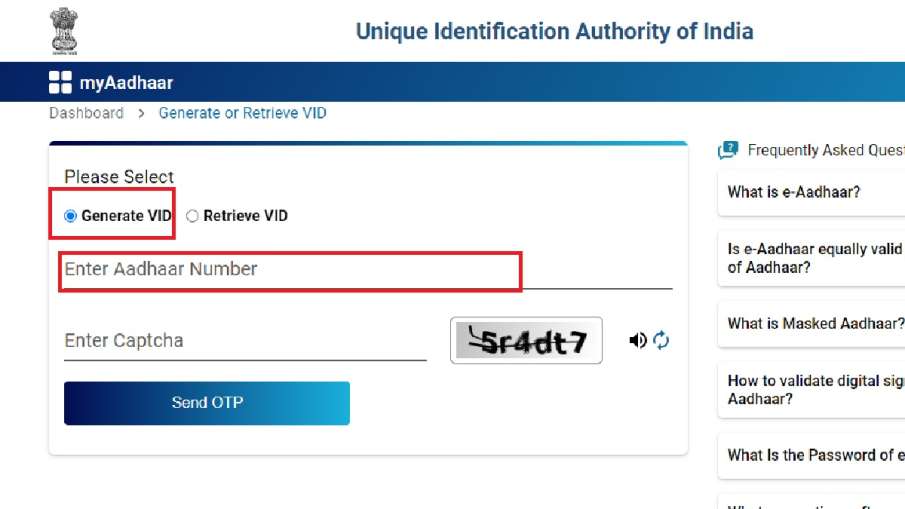
For this, go to this website https://resident.uidai.gov.in/genericGenerateOrRetriveVID and generate or retrieve the virtual ID number of your Aadhaar card.
You have to enter your Aadhaar number and captcha here and then click or tap on Generate.
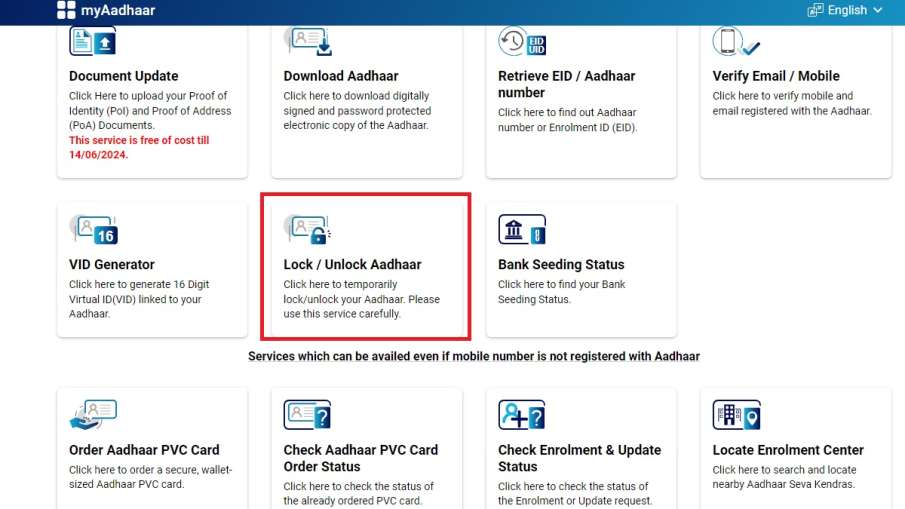
An OTP (One Time Password) will be sent to the mobile number registered with your Aadhaar card, enter it and generate Virtual ID.
Now you go to the Aadhaar card lock/unlock page.
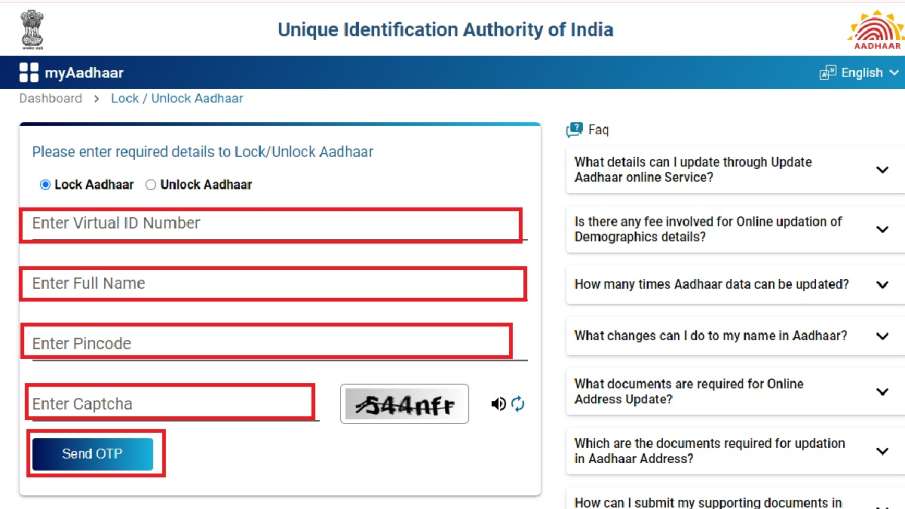
Here you will get the option to Lock and Unlock Aadhaar Card.
To lock the card, select lock and after entering the given information, you can lock and secure your Aadhaar card.
-
Why do India-Bangladesh GDP comparisons generate so much controversy?

-
'Faith and Fury': Jyoti Yadav's pandemic reports from UP, Bihar represent crucial field journalism

-
Gordon Ramsay's simple egg test shows whether chef really knows how to cook

-
Tuna mayo sandwich will be tastier with 1 ingredient swap recommended by chefs

-
NTET 2026: Provisional Answer Key Released with Objection Window Open