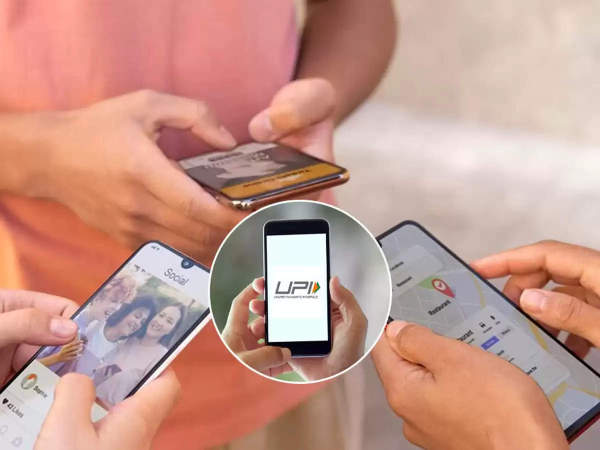
Google said that this feature will come to Google Pay soon. Created in collaboration with NPCI, UPI Circle will help those who still use
UPI Circle: Making payment will become easier, know what is this feature and how to use it
Some time ago, Google added a new feature to Google Pay called UPI Circle. This is for those who do not have a bank account or who do not want to make online payments. Google said that this feature will come to Google Pay soon. Created in collaboration with NPCI, UPI Circle will help those who still use cash. Through this, friends or trusted family members can make digital payments for them.
What is UPI Circle?
Google Pay has a new feature called UPI Circle. With this, you can ask a trusted friend or family member to make digital payments for you. This is very useful for those who do not have a bank account or who cannot make digital payments themselves. You or your friend do not need to link a bank account. You can make payments from your friend's Google Pay account.
There are two ways to transfer money within the UPI circle-
Give full authority: You can give someone full authority to transfer money from your Google Pay account. You can also decide how much money this person can transfer each month. You will not be required to transfer more money than this limit.
Grant partial rights: You can give someone some rights to transfer money from your Google Pay account. You'll need to approve this person each time.
If you want to add someone to your Google Pay account, you will have to wait for 30 minutes. This is done to increase security. Google has said that UPI Circle will be very useful for families whose elderly members do not know how to make digital payments or who have children or people working at home.
How to use UPI Circle
Google UPI Circle feature is now available on both Android and iOS. You need to update your app first.
To add someone to your UPI circle:
You must have a bank account added to Google Pay.
The person's UPI ID must be saved on your phone.
The person must open their Google Pay app and scan the QR code.
You must open Google Pay and tap on your profile photo or name.
You must choose whether you want to give full or partial rights to the person.
The person must give you approval.
How can you make payment?
Once the UPI circle is set up, your friend or family member can make payments of up to Rs 15,000 per month without informing you. You will have to approve each payment. Both you and your friend can check in Google Pay whether the payment has been made or not.
-
5 Best Goa Souvenirs to Buy: From Cashews to Handcrafted Treasures

-
India, Vietnam elevate ties to enhanced comprehensive strategic partnership; set USD 25 bn trade target

-
Dropped or Injured? Hardik Pandya Skips Raipur Flight as Mumbai Indians Leave for High-Stakes RCB Clash

-
These rattan garden furniture sets 'look really expensive' but are all under £500

-
ITV detective drama 'better than Death in Paradise' returning tonight