
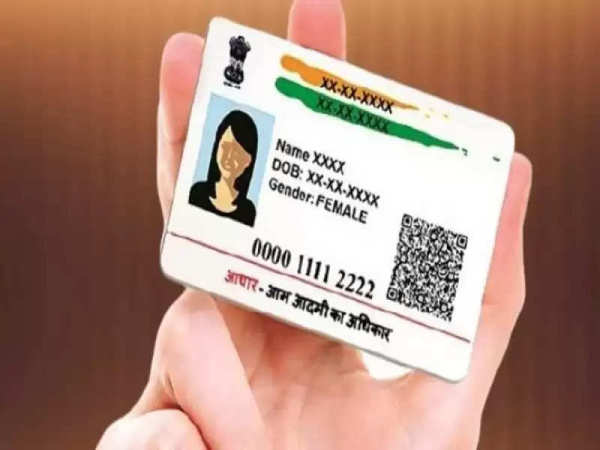
Aadhaar card, PAN card, ration card, and I card are important for various government and non-government works in India, out of these, if we talk about Aadhaar card, then it is an important document, about 90% of the Indian population has an Aadhaar card, so Aadhaar card is necessary for many activities, from admission in school to applying for government schemes. In such a situation, many times mistakes are made in the Aadhaar card, if you feel that there is a mistake in your card, then you can correct it online by sitting at home, let's know complete information about it and its process-
The steps to book an online appointment for an Aadhaar card update are given below:
Visit the official UIDAI website: Visit the official website of UIDAI.
Visit My Aadhaar: Click on the “My Aadhaar” option on the homepage.
Select 'Book an Appointment': From the dropdown menu, select “Book an Appointment”.
Select your location: You will see a list of Aadhaar service centers. Select your city or location from the dropdown menu and click “Proceed to book an appointment”.
Enter mobile number: Click “Book an appointment”, enter your mobile number, then select whether you are booking a new Aadhaar or Aadhaar update. Complete the captcha and click “Generate OTP”.
Verify OTP: An OTP will be sent to your registered mobile number. Enter this OTP and click “Verify”.
Fill in appointment details: Select your state, city, Aadhaar service center, and preferred language. Click “Next”.
Provide personal information: Enter your personal and proof information as required, then click “Next”.
Select time slot: Select a convenient time slot for your appointment and click “Next”.
Confirm appointment: Once booked, appointment details will be sent to your mobile number via SMS.
By following these steps, you can ensure that any corrections required on your Aadhaar card are done efficiently.
-
Govt negotiated with airlines to limit Hajj fare hike despite regional tensions: Union Minister Kiren Rijiju

-
Foxconn launches second-generation satellites via SpaceX Falcon 9
-
Meta’s Q1 earnings show AI driving engagement, ad gains across platforms

-
AI-driven pricing pressure, cost cuts reshape India IT outlook: Report

-
Ratnagiri Refinery and Petrochemicals: Adnoc may be out, Aramco seeks fresh Maha project terms