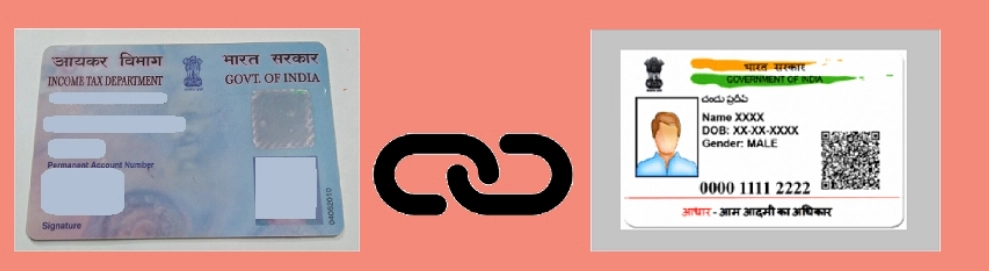
All citizens having a PAN card should have linked it with their Aadhaar card by 30th June 2023. The government has made it mandatory for all taxpayers to have a PAN card to link it to their Aadhaar card within the deadline. However, a late penalty of Rs.1,000 should be paid before requesting to link PAN-Aadhaar.
When the PAN-Aadhaar linking is not done within 30th June 2023, the PAN card will become inoperative from 1st July 2023. Thus, ensure that your PAN card is linked with your Aadhaar card. However, you can still link your Aadhaar with your PAN even after it becomes inoperative after paying the necessary fees.
An Aadhaar card contains a unique 12-digit number issued to every citizen in India by the Unique Identification Authority of India (UIDAI). It is an identification number that helps access the cardholder’s details from the government database, such as biometrics and contact information.
Any individual, irrespective of age and gender, being a resident of India, can enrol to obtain an Aadhaar number voluntarily. The enrolment process is free of cost. Once an individual enrols, their details are permanently stored in the database. One person cannot have multiple Aadhaar numbers.
How to check if your Aadhaar is linked to your PAN card?
The last date for PAN-Aadhaar linking date was 30th June 2023. The government has not provided an extension on the last date for linking PAN-Aadhaar beyond 30th June 2023. If the PAN card is not linked with the Aadhaar by 30th June 2023, it becomes inoperative. However, an inoperative PAN card due to non-linking with an Aadhaar card can be activated by paying the penalty and requesting to link PAN-Aadhaar.
Note that if you file the income tax returns without linking PAN-Aadhaar, the income tax department will not process the returns until PAN and Aadhaar are linked. People can visit the official Income Tax e-filing website to link the two identity cards in both cases– identical names in the two databases or in a case where there is a minor mismatch.
If you are not sure if your PAN and Aadhaar cards are linked, you may follow these steps to confirm:
1. Visit the Income Tax e-filing portal. Click on the ‘Link Aadhaar Status’ under the quick links on the homepage.
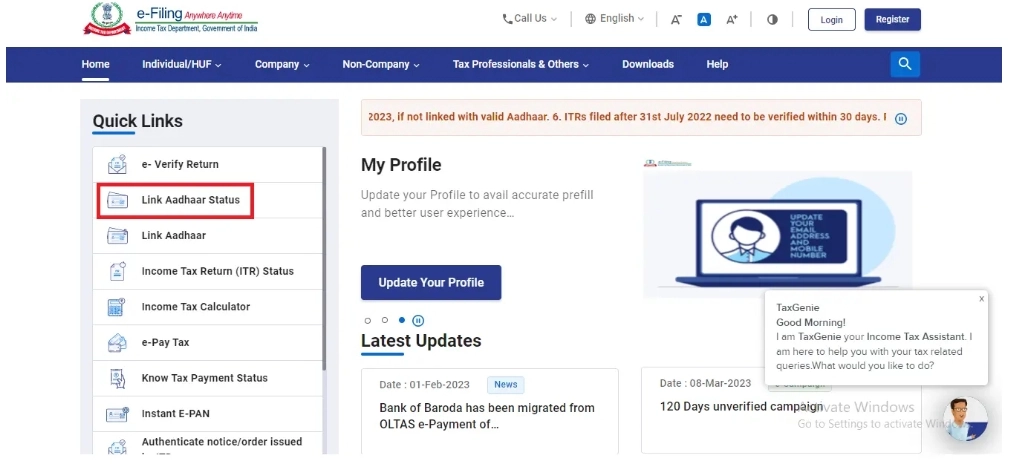
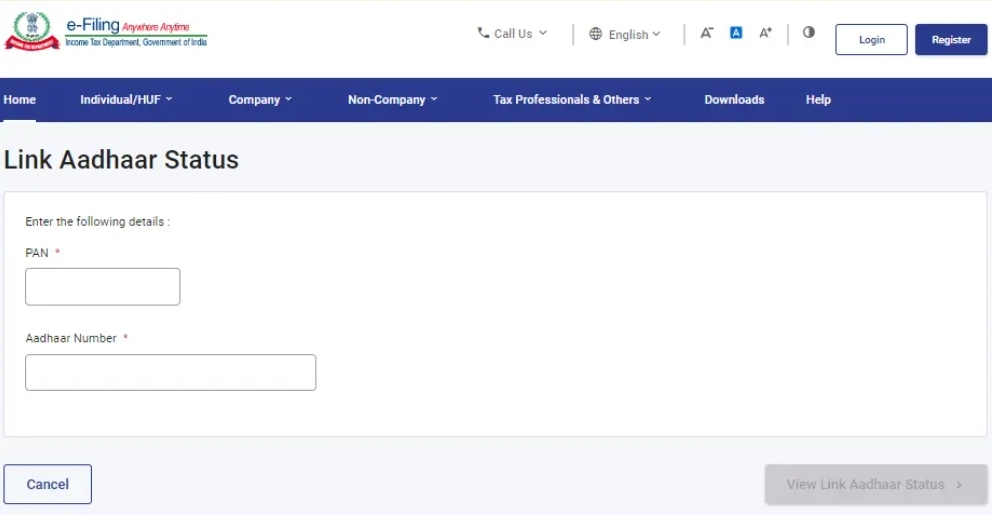
2. Enter your PAN and Aadhaar number and click ‘View Link Aadhaar Status’.
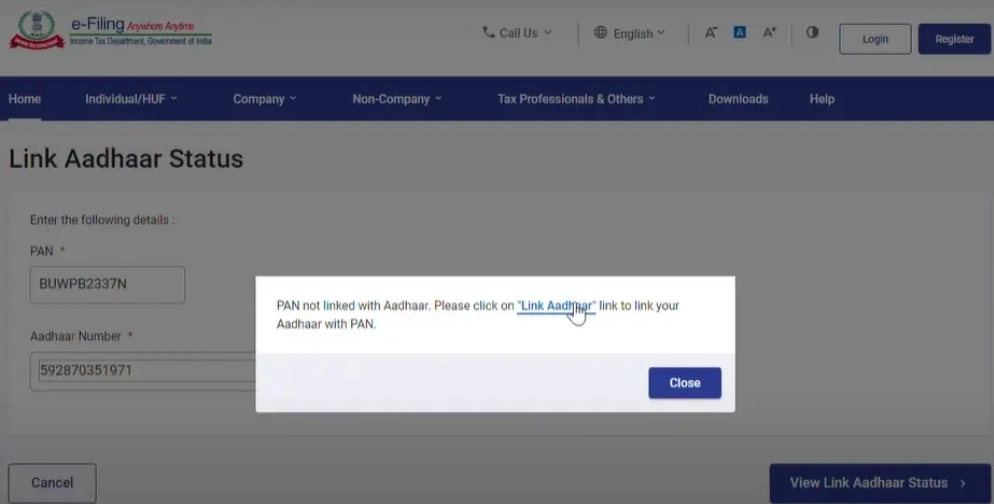
Now, if your PAN & UID are not linked, you will see a pop-up as shown below. You can follow these steps to link them. If they are already linked, you can proceed with your Income Tax Filing at Cleartax.
How to link your PAN to your Aadhaar after the deadline?
Two main steps for linking your Aadhar with your PAN after the deadline of 30th June 2023 are as follows:
I. Payment of penalty.
II. Submit the Aadhaar-PAN link request.
Things to keep handy:
- Aadhaar Card
- PAN Card
- The mobile number linked to Aadhaar
I. Payment of penalty
Follow the below steps to pay the penalty for linking PAN-Aadhaar numbers:
Step 1: Visit the Income Tax e-Filing Portal.
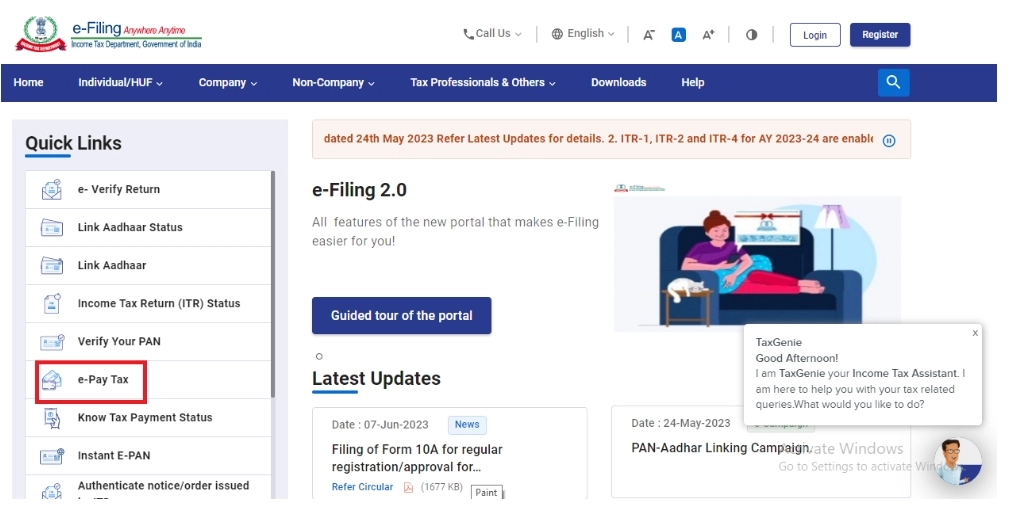
Step 2: Click the ‘e-Pay Tax’ option under the ‘Quick Links’ heading.
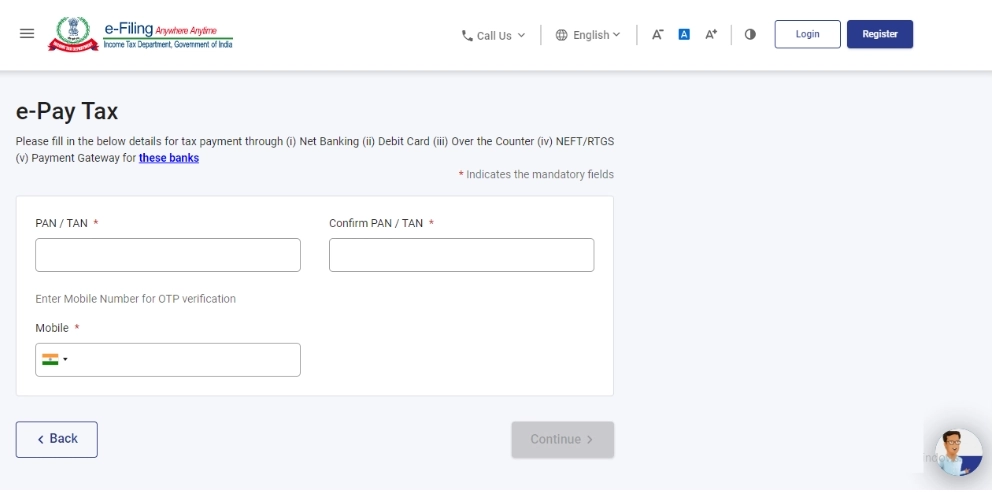
Step 3: Enter the ‘PAN’ number under the ‘PAN/TAN’ and ‘Confirm PAN/TAN’ columns, enter the mobile number and click the ‘Continue’ button.
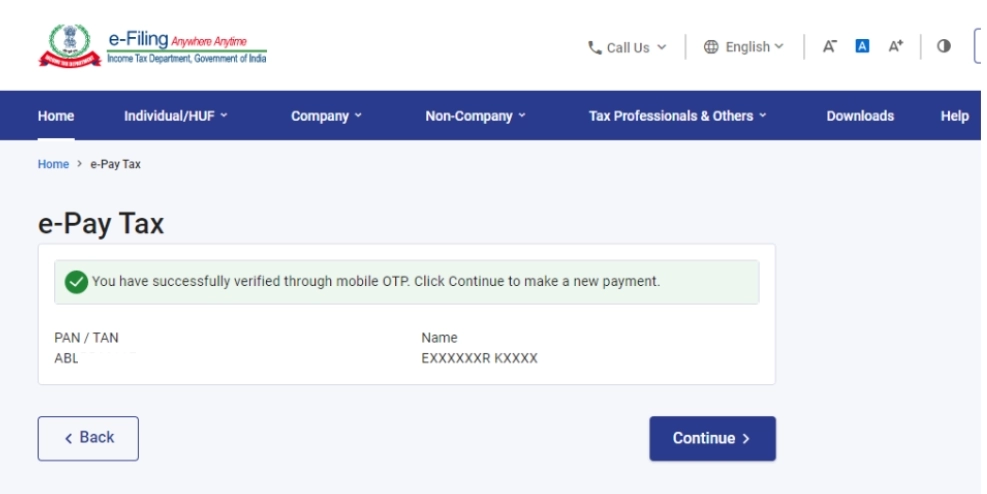
Step 4: After OTP verification, it will be redirected to the e-Pay Tax page. Click the ‘Continue’ button.
Step 5: Click the ‘Proceed’ button under the ‘Income Tax’ tab.

Step 6: Select Assessment Year as ‘2025-26’, ‘Type of Payment (Minor Head)’ as ‘Other Receipts (500)’ and Sub-type of Payment as ‘Fee for delay in linking PAN with Aadhaar’ and click the ‘Continue’ button.

Step 7: The applicable amount will be pre-filled against the ‘Others’ option. Click the ‘Continue’ button and make the payment.

You can pay the late penalty on the Income Tax e-filing Portal through net banking, debit card, over-the-counter, NEFT/RTGS or payment gateway option. However, you can pay the penalty through the payment gateway option when you have a bank account with the following authorised banks:
- Axis Bank
- Bank of Baroda
- Bank of India
- Bank of Maharashtra
- Canara Bank
- Central Bank of India
- City Union Bank
- Federal Bank
- HDFC Bank
- ICICI Bank
- IDBI Bank
- Indian Bank
- Indian Overseas Bank
- IndusInd Bank
- Jammu & Kashmir Bank
- Karur Vysya Bank
- Kotak Mahindra Bank
- Punjab & Sind Bank
- Punjab National Bank
- RBL Bank
- South Indian Bank
- State Bank of India
- UCO Bank
- Union Bank of India
After making the payment, proceed to link your PAN with your Aadhaar card immediately.
II. Submit Online/Offline Requests for Linking of Aadhaar Number and PAN
You can do online linking of the Aadhaar number with your PAN by logging on to the Income Tax e-filing portal. There are two ways of linking your PAN to your Aadhaar:
1. Without logging in to your account
2. Logging in to your account
Method 1: Without Logging in to Your Account
Step 1: Go to the Income Tax e-filing portal. Under quick links, click on the ‘Link Aadhaar’ tab.

Step 2: Enter your PAN and Aadhaar number and click the ‘Validate’ button.

Step 3: Enter your name as per your Aadhaar card and mobile number and click the ‘Link Aadhaar’ button.

Step 4: Enter the OTP received on your mobile number and click the ‘Validate’ button.

Step 5: The request for PAN Aadhaar linking will be sent to the UIDAI for validation.

If the payment details are not verified on the e-filing portal:
After validating your PAN and Aadhaar, you will see a pop-up message “Payment details not found”. Click on the ‘Continue to Pay Through e-Pay Tax’ button for the payment of the fee since the payment is the pre-requisite to submit the Aadhaar PAN link request.

You will have to make the payment through e-Pay Tax to complete the request of linking PAN-Aadhaar.
As mentioned in point 2 in the pop-up message, once the payment of the penalty is made, it will take 4-5 days to process the payment then only one can request linking. But practically payment will reflect in 30 minutes to 1 hour and allow requests for linking.
Method 2: Logging in to Your Account
Step 1: Register yourself at the Income Tax e-filing portal, if you are not already registered.

Step 2: Log in to the e-filing portal of the income tax department by entering the user ID.

Step 3: Confirm your secure access message and enter the password. Click ‘Continue’ to proceed further.

Step 4: After logging in to the website, click on ‘Link Aadhaar’. Alternatively, go to ‘My Profile’ and select ‘Link Aadhaar’ under the ‘Personal Details’ option.

Step 5: Enter your Aadhaar number and click the ‘Validate’ button.

Step 6: A pop-up message will inform you that your UID number has been successfully linked to your PAN card.

Once you have sent a request to link your PAN with your Aadhaar to activate your PAN card which is inoperative due to non-linking PAN-Aadhaar, the UIDAI will process the request. However, the reactivation of the PAN card will take around 7 days to 30 days from the date of submission of the request.
-
Revenge in Rome: Filipina star Eala eyes payback against China's Wang

-
Sagar: Protest against Besuru Nuclear Power Plant

-
“Catch Me If You Can,” Ishan Kishan Takes A Jibe At PBKS Fielding After Playing Superb Knock

-
King Charles makes striking appearance alongside little-known royal

-
How to Use a Term Insurance Calculator to Decide Your Coverage