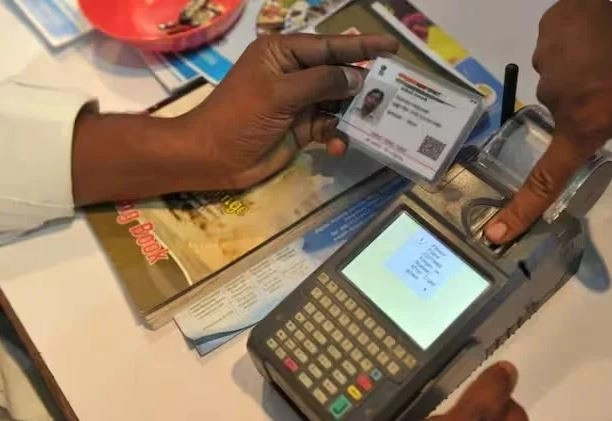
We All Know Very Well How Important Aadhaar Is For Us In Today's Time. Aadhaar Is Our Identity, But Do You Know How To Make Any Changes In Your Aadhaar Card?
Iconic Image (Image Source: PTI Photo)
The Aadhar Card Scheme Was Started In 2010. We All Know Very Well How Important Aadhar Is For Us In Today's Time. Aadhar Is Our Identity, But Do You Know How To Make Any Changes In Your Aadhar Card? Actually, It Contains Many Types Of Information, Such As Photo, Your Address, Your Email, Phone Number And Much More. Today We Are Going To Tell You How You Can Update The Photo Of Your Aadhar Card.
If You Have Not Changed The Photo On Your Aadhaar Card For A Long Time, Now Is A Good Time To Consider It. According To UIDAI, It Is Mandatory For Any Person To Update Aadhaar Information With Their Photo After 10 Years. Before Applying For Aadhaar Card Photo Change, Keep In Mind That The Information You Provided While Making The Aadhaar Card Such As Name, Address, Age, Phone Number And Email ID Can Also Be Changed Online. To Update Biometric Details Like Fingerprint, Iris And Photograph Online, You Have To Visit Your Nearest Aadhaar Enrollment Center And Pay A Minimum Fee.
If You Want To Update Photo In Aadhaar Then You Will Get All The Step By Step Information Here.
- First of all you have to visit the official website of UIDAI uidai.gov.in.
- After this, download the Aadhaar enrolment form (if you want, you can also get this form from your nearest Aadhaar service centre or Aadhaar enrolment centre or nearest CSC centre.)
- After this you fill in your required information.
- After this, go to your nearest Aadhar Service Center or CSC Center and submit the information filled in the form.
- If you want to know which Aadhaar Seva Kendra is near you, you can also visit this internet site (recruitments.uidai.gov.in/).
- When you reach the center you will find staff there who will verify all the details through biometric verification.
- After this, the employee will take your new photo to update the Aadhar card.
- After this, you will be charged only Rs 100 along with GST for updating Aadhaar.
- After this, it will give you an acknowledgement slip with the URN number i.e. Update Request Number, through which you can visit the UIDAI website and track the changes made by them.
You Can Download Aadhaar By Visiting The Website
Aadhaar Card Update Can Take A Maximum Of 90 Days. You Can Use The URN Number To Check The Status Of Your Aadhaar Update. As Soon As The Aadhaar Card Is Updated, You Can Go To Your Nearest Aadhaar Seva Kendra Or CSC Center And Get Your Aadhaar Card Printed. If You Want To Download The Updated Aadhaar Yourself, Then You Can Also Download Your Aadhaar By Visiting The Official Website Of UIDAI. For Information, Let Us Tell You That The Aadhaar Card Scheme Was Started In India In The Year 2010.
-
Apollo Hospitals launches dedicated centre for sports injuries in Hyderabad

-
These 6 cafes are fueling Hyderabad’s after-1 am food scene

-
Telangana govt to bring school and intermediate education under one board

-
AIMIM corporator sheltered TCS case accused Nida Khan, say Nashik police

-
Himanta claims ‘dhurandhars’ inside Congress, 6 MLAs will back BJP in prez polls